
AI Generated Phishing Risk And Safe Email Use
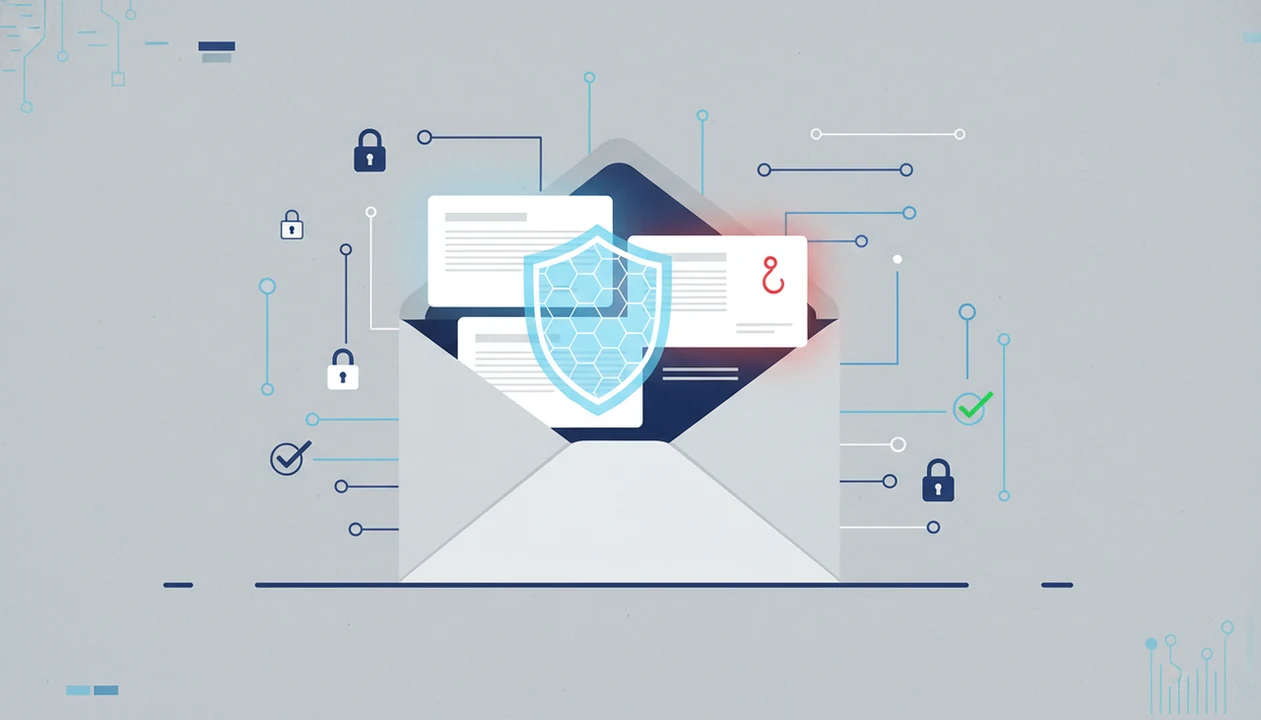
AI generated phishing risk is real because scammers can misuse AI-written email to make impersonation, fraud, and social-engineering messages sound more polished and personal. Responsible email AI tools should support legitimate writing, rewriting, and proofreading only, never phishing, credential theft, or deceptive impersonation.
This page is general defensive guidance, not incident-response, legal, or cybersecurity consulting advice. If a suspicious email involves money, credentials, payroll, customer data, or legal documents, pause and escalate before replying or clicking.
Definition: AI generated phishing risk is the risk that generative AI will be misused to create convincing fake emails that impersonate trusted people or organizations to steal money, passwords, or sensitive information.
TL;DR
- AI can remove the spelling errors and awkward wording that once made many phishing emails easier to spot.
- The safest response is layered: clear AI-use policies, sender verification, strong authentication, user training, and modern email security.
- Email AI is an AI email generator that creates and improves business, career, and personal emails for professionals and teams, and phishing or impersonation misuse should never be supported.
AI Generated Phishing Risk At A Glance
AI generated phishing risk means fake or deceptive emails can look more like normal workplace messages. The danger is not “AI email” by itself; it is misuse for fraud, impersonation, credential theft, or pressure-based social engineering.
Reputable AI email generators should reject requests that ask for phishing, spoofing, password collection, fake invoices, or deceptive impersonation. A legitimate rewrite pass can make a rough customer reply clearer. It should not help someone trick an accounting team.
The scale matters. The FBI reported 298,878 phishing or spoofing complaints to IC3 in 2023, making it one of the most common cybercrime categories in its annual report source.
This guide is defensive. It explains warning signs, safe boundaries, and verification habits, not offensive tactics or reusable phishing examples.
Five Facts About AI Email Phishing
- AI-written phishing can sound polished. Clean grammar, natural phrasing, and a calm professional tone no longer prove an email is safe.
- AI lowers the effort needed to vary messages. Attackers can produce many slightly different emails instead of reusing one clumsy template.
- Personal details can make scams feel familiar. Public profiles, company pages, old breaches, or exposed email threads can supply believable context.
- Older filters may miss some AI-written scams. Tools that rely heavily on repeated text, known templates, or obvious mistakes have less to grab.
- Legitimate assistants ban phishing. The risk grows because unsafeguarded tools and compromised workflows can still be abused.
The tiny subject-line field gets rewritten three times in normal work. That same polish is why teams should judge the request, not just the wording. For privacy boundaries around real drafts, the related question is is it safe to paste emails into AI.
How AI Generated Phishing Risk Works In Email
AI generated phishing risk works when language models turn prompts and context into natural-sounding email text that can imitate routine business communication.
Large language models predict likely words and sentence patterns from input. In plain terms, they can draft an email that sounds like a finance note, HR reminder, vendor update, or manager follow-up. If someone adds public profile details, company context, leaked data, or fragments from a previous thread, the message may feel less random.
A second problem is polymorphic phishing. Instead of sending one repeated fake email, an attacker can generate many small variations. The wording changes, but the pressure remains: click, pay, reset, approve, or reply.
A blank Gmail compose window after a long meeting is normal. A polished message arriving at the same tired moment can be risky. The safe habit is to verify unusual requests through a separate trusted channel before acting.
AI Email Phishing Warning Signs In Real Messages
AI email phishing is often recognizable by the action it demands, not by bad writing. Treat a polished email as suspicious when the request breaks normal process or pushes you to act without checking.
- Urgency and secrecy. Watch for sudden deadlines, “keep this confidential,” gift cards, wire transfers, or password-reset pressure.
- Sender and link mismatch. Check lookalike domains, unexpected file-sharing links, attachments you did not ask for, and URLs that do not match the claimed organization.
- Process bypass. Be careful when a message asks you to skip procurement, HR, finance, IT, or manager approval.
- Payment or invoice changes. Verify new bank details, changed vendor instructions, or refund requests outside the email thread.
A red unread badge on a phone can make any request feel late. Slow down anyway. For sensitive drafts and customer context, AI email privacy is part of the same safety conversation.
Phishing Risk AI Emails Create For Businesses
Phishing risk AI emails create for businesses centers on impersonation: a message appears to come from a leader, vendor, customer, recruiter, or trusted platform. That can lead to business email compromise, invoice fraud, account takeover, data exposure, or unauthorized payment approval.
Two numbers show why email teams take this seriously:
| Risk signal | Reported finding |
|---|---|
| Business email compromise | The FBI reported about $2.9 billion in U.S. BEC losses in 2023 source. |
| Phishing and pretexting | Verizon’s 2023 DBIR reported that 36% of breaches involved phishing or pretexting source. |
Small businesses and individuals are not side notes. A five-person agency may have no security team, no formal vendor-change process, and one person approving payments after closing time. A vendor delay email after closing time can feel routine until the bank details change.
For small teams, independent verification is often more reliable than trusting inbox polish because the approval path is short and personal.
Safe Boundaries For AI Email Generators
Safe AI email generators should help people write legitimate messages faster, not help anyone deceive a recipient. Tools like Email AI create and improve business, career, and personal emails for legitimate communication.
| Use case | Safe boundary |
|---|---|
| Drafting business emails | Use for real follow-ups, status updates, customer replies, and scheduling notes. |
| Tone adjustment | Use this when a rough draft needs to sound less annoyed, clearer, or more formal. |
| Proofreading | Use for grammar, length, clarity, and subject line cleanup. |
| Summarizing | Use to shorten your own approved context, not stolen or deceptive material. |
| Prohibited misuse | Do not use AI for impersonation, credential harvesting, spoofing, payment deception, evasion, or tricking recipients. |
A safe email-writing tool should make legitimate drafts clearer, shorter, or more professional. It should not generate fake identities, credential requests, payment pressure, spoofing language, or instructions for evading detection.
Organizations should define approved tools, prompt boundaries, data handling rules, and review expectations. That includes footer links people ignore, such as Privacy Policy, Terms, and unsubscribe text. For compliance context, review CAN-SPAM AI generated emails.
Common Myths About AI Generated Phishing Risk
AI generated phishing risk is easy to overstate or understate. The safer position is practical: recognize what changed, then keep using layered verification.
- Myth: AI phishing is totally new. Reality: it upgrades older phishing, pretexting, and impersonation tactics with cleaner language and faster variation.
- Myth: perfect grammar means safety. Reality: AI can write professional sentences, including formal sign-offs under quick questions.
- Myth: spam filters catch everything. Reality: filters help, but personalized or low-volume messages may still reach users.
- Myth: only large companies are targeted. Reality: small firms and individuals often have fewer checks.
- Myth: all AI email tools support phishing. Reality: reputable tools prohibit fraud, impersonation, and credential theft.
A useful policy separates writing help from deception. Apps such as EmailAI, Grammarly, and general chat tools should be governed by what users are allowed to submit, generate, and send.
Defenses Against AI Email Phishing
The strongest defense against AI email phishing is layered security plus verification habits. Do not rely on typo-spotting alone.
- Use multifactor authentication. Protect email, finance, payroll, CRM, and admin accounts even if a password is stolen.
- Configure domain authentication. Set up SPF, DKIM, and DMARC so spoofed sender domains are easier to detect.
- Deploy email security controls. Use secure gateways, attachment scanning, link analysis, and anomaly detection.
- Train for verification. Teach employees to confirm payment, credential, HR, or file-sharing requests through a separate trusted channel.
- Govern AI tools. Approve specific tools, block unsafe prompt patterns, and explain what data should not be pasted.
- Review incidents. Update examples and controls when attackers change tactics.
CISA recommends phishing-resistant MFA where possible and treats SPF, DKIM, and DMARC as core email authentication controls for reducing spoofing risk source. These controls reduce exposure, but they do not prove that every delivered message is trustworthy.
AI-powered defenses can analyze language, intent, sender behavior, and social-engineering patterns. Still, banning all AI tools may push staff toward unsanctioned apps. The better question is do AI email tools train on emails, how data is handled, and what controls exist.
When To Report Or Escalate A Suspicious AI Email
Report or escalate a suspicious AI email when the request could expose money, passwords, payroll records, legal files, customer data, or other sensitive access. If the message asks you to act outside normal process, treat verification as part of the work, not as a delay.
- Stop before replying, clicking, approving, downloading, or forwarding files to the sender.
- Verify the request through a known phone number, approved chat channel, ticketing system, or fresh message to a verified address, not the suspicious thread.
- Preserve useful evidence before deleting anything, including full headers, links, attachments, timestamps, screenshots, sender details, and any related messages.
- Forward the suspected phishing message to your IT team, security team, help desk, or the platform’s abuse-reporting channel, following your organization’s process.
- Contact your bank quickly if money was sent or account details were changed, and consider filing an IC3 report if there was financial loss.
A two-minute pause can protect the whole company. The key is to move the conversation out of the email that created the risk.
Limitations
This guidance has limits, especially because AI-assisted phishing changes quickly.
- Long-term peer-reviewed evidence is still limited on how much AI alone increases phishing success rates.
- Public statistics often combine AI and non-AI phishing, so they do not isolate AI-generated email.
- Detection tools can create false positives that block normal email and false negatives that miss sophisticated scams.
- Technical controls cannot replace human verification for unusual payment, credential, legal, HR, or sensitive-data requests.
- Attackers can change wording, sender behavior, links, and timing, so warning signs need regular updates.
- Clean writing is not proof of safety, and awkward writing is not proof of fraud.
- This page does not provide phishing templates, evasion methods, or instructions for misuse.
A half-written reply in a draft window can feel harmless. The risk starts when speed replaces checking. For another trust issue, AI email hallucinations explains why generated text also needs factual review.
FAQ
What is AI phishing?
AI phishing is phishing or impersonation assisted by generative AI. It uses AI-written text to make fraudulent emails sound more believable.
Why do AI phishing emails seem real?
AI can produce polished language and include believable context from public or stolen information. That makes the email feel familiar even when the request is unsafe.
Can AI write phishing emails?
Generative AI can be misused to draft deceptive messages, but phishing, impersonation, and credential theft are prohibited uses. Reputable tools should refuse that kind of request.
Are AI email generators safe?
Reputable AI email generators can be safe for legitimate drafting, rewriting, and proofreading when they enforce misuse policies. Users still need to review messages and follow privacy and security rules.
How do I spot AI phishing?
Look for urgency, sender-domain mismatches, suspicious links, unexpected attachments, payment changes, password requests, and process bypasses. Verify sensitive requests through a separate trusted channel.
Do spam filters catch AI phishing?
Spam filters and secure email gateways help, but they cannot catch every AI-written or personalized phishing email. Human verification remains important for unusual requests.
What is business email compromise?
Business email compromise is impersonation-based fraud that targets payments, invoices, payroll, vendor changes, or sensitive business access. It often uses email to pressure someone into acting.
Should businesses ban email AI?
A governed, approved AI email workflow is usually safer than pushing employees toward unsanctioned tools. Policies should define approved tools, data limits, and review expectations.
How should suspicious emails be verified?
Verify suspicious emails through a separate trusted channel, such as a known phone number, approved chat channel, or fresh message to a verified address. Do this before clicking, paying, or sharing information.