
Customer Service Email Before and After AI Rewrites
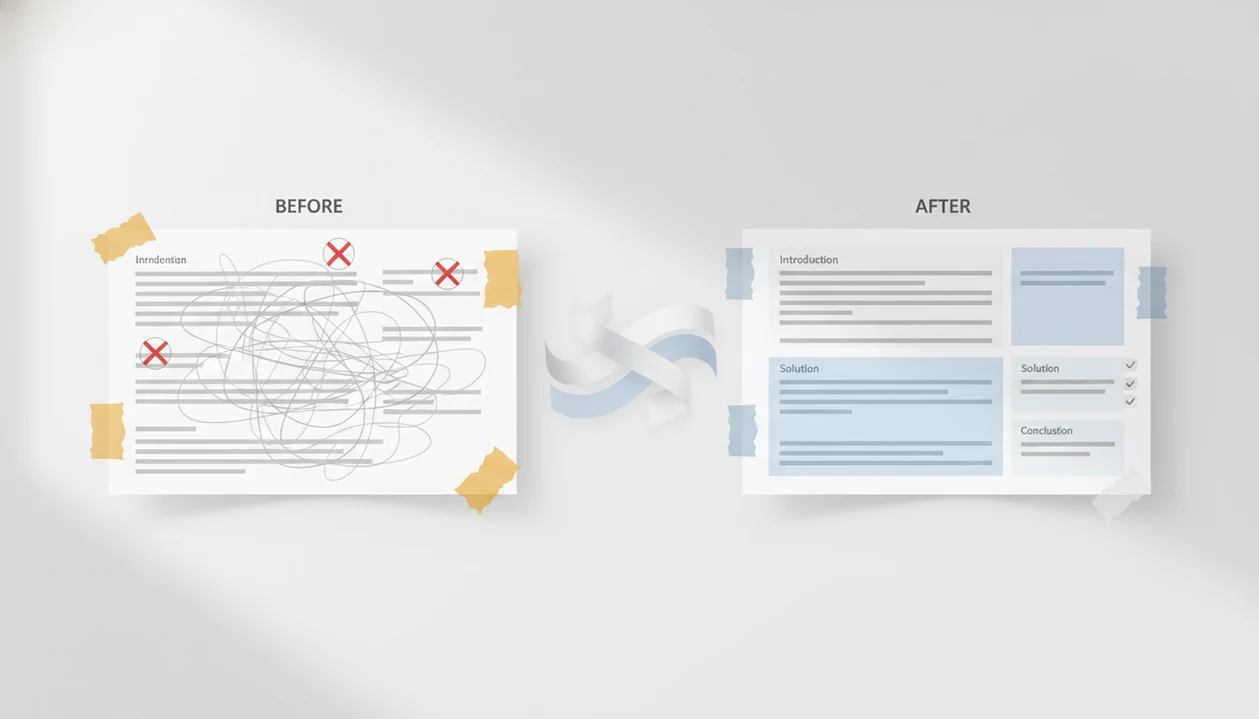
A customer service email before and after comparison shows how the same support decision can become clearer, warmer, and easier to act on after an AI rewrite. Strong rewrites preserve the facts, policy, refund amount, timing, and resolution while improving empathy, structure, and next steps.
> Definition: Email AI is an AI email generator that creates and improves business, career, and personal emails for professionals and teams.
TL;DR
- A good “after” support email changes tone and clarity, not the facts or the company’s decision.
- The biggest improvements usually come from adding empathy, summarizing the issue, and making the next step specific.
- AI support rewrites are safest with guardrails, human review, and lower-risk tickets such as shipping updates, password resets, billing explanations, and simple policy replies.
Customer service email before-and-after examples at a glance
A customer service email before-and-after example places the same ticket facts side by side: the original reply and the improved version. The “after” email should sound clearer and more helpful, but it must not invent a refund, policy exception, timeline, escalation, or promise.
That distinction matters when the support queue is moving fast. We’ve seen agents highlight missing order details in yellow, then ask for a rewrite that keeps the decision unchanged. The better draft does not “make it nicer” by changing the outcome.
This guide shows before-and-after examples for delayed orders, refund denial, billing confusion, technical issues, and angry customer replies. Poor service has measurable risk too: Qualtrics reported in 2022 that 76% of consumers would switch brands after one bad experience, according to its consumer experience research (https://www.qualtrics.com/news/new-research-from-qualtrics-finds-consumers-are-more-likely-to-cut-spending-following-bad-experiences/).
For support teams, a good rewrite is often safer than a fresh draft because it improves the message without replacing the source facts.
Five facts about AI support email before-and-after rewrites
- The after version keeps the same facts, decision, and resolution. A rewrite can soften wording, but it should not change eligibility, dates, prices, shipping status, or policy outcomes.
- AI can speed up drafting and make tone more consistent across agents. This helps when several people answer similar tickets during a Monday 8:57 a.m. scramble before the next call.
- Empathy statements and clear requests improve perceived politeness and satisfaction. Research on text-based customer communication has found that explicit empathy and clear asks can improve how support messages are received. For evidence on written empathy in service recovery, cite a peer-reviewed source inline, such as Bove, Pervan, Beatty, and Shiu on service worker empathy and customer outcomes (https://doi.org/10.1016/j.jbusres.2008.01.007).
- The safest early use cases are common, lower-risk tickets. Shipping updates, password resets, simple billing explanations, and policy reminders are better starting points than legal threats or safety complaints.
- Teams need guardrails that lock facts and require human review. Regulated, high-impact, or emotionally escalated cases should not be sent from an AI rewrite without an agent checking the ticket record.
How AI rewrites customer service email drafts
AI rewrites customer service email drafts by taking the agent’s original reply, ticket facts, policy constraints, and desired tone, then producing a clearer version of the same message. The model performs a rewrite pass, not a support decision.
In practice, the agent supplies the factual layer from the CRM, help desk, approved template, or account record. That layer includes the customer name, order ID, invoice number, policy language, deadline, refund amount, and account status. The model then restructures the email around four parts: acknowledgement, issue summary, resolution, and next step.
The tiny subject-line field still gets rewritten three times.
Brand voice and tone settings help the draft sound like the company, not like a generic apology machine. Tools like Email AI can help with business, career, and personal messages through web tools and mobile app workflows, not replace the sender’s responsibility for accuracy.
How to use AI before-and-after rewrites for support tickets
Use AI before-and-after rewrites by giving the model the original support reply, the verified ticket facts, and clear limits on what cannot change. The safest workflow treats AI as an editor, then gives the final decision back to the human agent.
- Paste the original support email and the customer’s issue. Include the rough email draft and the plain-language problem the customer raised.
- Set factual constraints. Add the policy decision, amount, deadline, order ID, account status, and anything the reply must not promise.
- Ask for a rewrite. Request better empathy, clarity, structure, and next steps without changing the resolution.
- Review every factual detail. Check dates, amounts, names, plan status, and policy wording against the CRM or ticket record.
- Send, track outcomes, and save patterns. Turn strong replies into approved templates for similar tickets.
Use this when the blank Gmail compose window is blinking after a long meeting and the facts are already verified.
Support email rewrite examples for delayed orders
A delayed order reply should acknowledge the inconvenience, state the current shipping status, give a specific date or range, and offer one clear next step. The after version below keeps the same facts as the before version.
| Version | |
|---|---|
| Before | Your order is delayed because the carrier has not scanned it yet. It should update soon. Please wait and check tracking again later. |
| After | Hi Mara, I’m sorry your order has not updated yet. I checked order #48192, and the carrier has the package, but the tracking scan is delayed. The next scan should appear by Friday, March 8. If there is no update by then, reply to this email and we’ll open a carrier trace for you. |
Before: delayed order reply
The before email is technically accurate, but it sounds defensive and gives no real plan.
After: delayed order reply
The after email adds empathy, order context, a timeline, and a customer option.
Why this rewrite works
For delayed orders, a specific timeline is usually better than “soon” because the customer can decide whether to wait or follow up. If your team sends these often, a delay notice email generator can help standardize the structure.
Customer service email before-and-after example for refund denial
A refund denial can be respectful without becoming vague. The after version should validate the concern, explain the policy in simple terms, and offer the most useful available alternative, without creating an unapproved credit or exception.
| Version | |
|---|---|
| Before | We can’t refund this order because it is outside the 30-day policy. You agreed to the policy at checkout. |
| After | Hi Jordan, I understand why you’re asking about a refund, especially if the item did not work out as expected. I reviewed order #72814, and it was delivered 47 days ago. Our refund window is 30 days from delivery, so we’re not able to issue a refund for this order. The available option we can offer is a troubleshooting appointment or replacement-part guidance if the item is still not working properly. |
Before: refund denial reply
The before reply leans on policy and sounds like the customer did something wrong.
After: refund denial reply
The after reply keeps the denial but removes blame and adds a useful alternative.
What stayed the same
The policy, date, refund decision, and available option stayed the same. Difficult decisions need more empathy, not softer wording that hides the answer.
AI email before-and-after example for billing confusion
Billing replies need structure because scattered details create repeat contacts. The after version should use exact dates, invoice references, plain labels, and one clear action.
| Version | |
|---|---|
| Before | The charge is for your renewal. Your plan renewed last week and the invoice is in your account. If you don’t want it, you can change the plan before the next billing date. |
| After | Hi Priya, I can help clarify the $49 charge. It is for invoice #INV-2044, which covers your Pro plan renewal for March 1 to March 31. The renewal processed on March 1 using the card ending in 1182. If you want to avoid this charge next month, you can switch to the Free plan before April 1 from Settings → Billing. |
Before: billing explanation reply
The before email has the right idea, but the customer must guess which invoice and date apply.
After: billing explanation reply
The after email groups the charge, coverage period, payment method, and next action.
Clarity fixes in the after version
Billing emails require careful human review because one wrong amount or date can damage trust fast. The footer links people ignore, Privacy Policy, Terms, and unsubscribe text, still matter when billing language is involved.
Common patterns in better customer service email rewrites
Better support email rewrites usually follow repeatable patterns. These patterns can affect reply rate, reopen rate, CSAT, QA score, and handle time because the customer understands the answer sooner.
- Acknowledgement first. Start by naming the inconvenience before explaining the policy or system behavior.
- One-sentence issue summary. Restate the problem in plain language so the customer knows you read the ticket.
- Specific next step. Replace “we’ll look into it” with an owner, action, or timeline.
- Separate policy from action. Put the rule in one sentence, then explain what the customer can do next.
- Useful follow-up invitation. Ask for a screenshot, invoice number, or reply by a date instead of ending with a generic apology.
A real support prompt often starts with, “Can you make this sound less annoyed?” The better prompt adds the policy, the customer goal, and the next action too.
Measurement metrics for support email rewrite examples
Measure AI-assisted support rewrites by comparing ticket outcomes before and after rollout, not just by counting faster drafts. Faster writing is not a win if the email creates confusion, more replies, or avoidable escalations.
Useful metrics include first response time, handle time, reopen rate, reply rate, escalation rate, CSAT, and QA score. Compare similar ticket types, such as delayed shipments against delayed shipments, instead of mixing refunds, billing, technical bugs, and abuse reports together.
McKinsey has reported that AI used to automate and augment customer interactions can reduce service costs by up to 30% (https://www.mckinsey.com/capabilities/operations/our-insights/the-next-frontier-of-customer-engagement-ai-enabled-customer-service). McKinsey has also described generative AI customer-care deployments where organizations handled more queries per hour, but teams should validate those gains against their own CSAT, reopen rate, and escalation data before scaling.
For small teams, the cleanest test is simple: save 50 before emails, send AI-assisted after versions for the same category, then review outcomes weekly. Owners using small business email AI should still read the actual replies, not only the dashboard.
Guardrails for AI support email rewrite examples
Guardrails keep AI support rewrites from sounding polished while saying the wrong thing. The most important rule is to lock the facts before the rewrite pass starts.
Locked fields should include dates, prices, account status, refund amounts, policy decisions, customer names, order IDs, and legal language. Approved snippets or templates are safer for regulated, legal, billing, medical, and financial support scenarios. Keep trained humans in the loop for escalations, angry customers, discrimination claims, safety issues, and high-value accounts.
CRM and ticket data can improve context, but the connection has to be controlled. The after version should pull verified facts, not infer missing details from a frustrated message.
Gartner projected that AI-driven customer service automation would rise sharply by 2026, from 1.6% to 10% of agent interactions. That trend supports draft assistance, but it does not justify full automation for every reply. For supplier or partner cases, a vendor email generator may help with wording, but records still need review.
Limitations
AI rewriting can improve a support email, but it cannot make a bad operational decision feel good forever. Some issues need process fixes, manager approval, or a human conversation.
- AI can introduce subtle factual errors in dates, amounts, policies, order status, or eligibility.
- A warmer email cannot fix a broken refund process, late shipment, missing feature, or unfair policy.
- Generic AI tools may sound polished while making unauthorized promises.
- Cultural nuance, legal sensitivity, and emotional escalation may require a trained human agent.
- Teams still need quality assurance, audit trails, escalation rules, and approved templates.
- Overusing templated empathy can make support feel scripted or insincere.
- Regulated industries need stricter review than ordinary ecommerce or SaaS support.
- Billing, health, insurance, employment, and financial messages should get extra review before sending.
Polite is not the same as correct.
The safest use of AI support rewriting is to improve tone, structure, and clarity while a human remains responsible for the facts, decision, and final send.
FAQ
What is a customer service email rewrite?
A customer service email rewrite improves wording, tone, structure, and clarity while preserving the original facts. It should keep the same decision, policy, timeline, and resolution.
Can AI rewrite customer support emails safely?
AI can rewrite customer support emails safely when the user supplies accurate ticket facts and reviews the output. It is safest as a draft or editing tool, not as an unchecked sender.
Should AI rewrites ever change facts or policies?
Safe AI rewrites should not change facts, policies, amounts, timelines, decisions, or customer details. Any change to the outcome should come from an approved human decision.
How do you soften bad news in a support email?
Acknowledge the issue, state the decision clearly, give the reason, and offer the best available next step. Do not hide the bad news behind vague or overly warm language.
What makes a customer service email sound empathetic?
An empathetic customer service email acknowledges the inconvenience, restates the issue, avoids blame, and gives useful next steps. It should sound human without changing the company’s decision.
Do AI-written support emails sound too robotic?
AI-written support emails can sound robotic when prompts are vague or overly formal. Tone guidance, examples, locked facts, and human review make the final email more natural.
Is there an app that can rewrite customer service emails?
Yes, AI email writing assistants and mobile apps can rewrite customer service emails from a pasted draft. Apps such as EmailAI can help create an after version, but the sender should verify every ticket detail before sending.