
Email Editing Benefits Timeline When Using AI
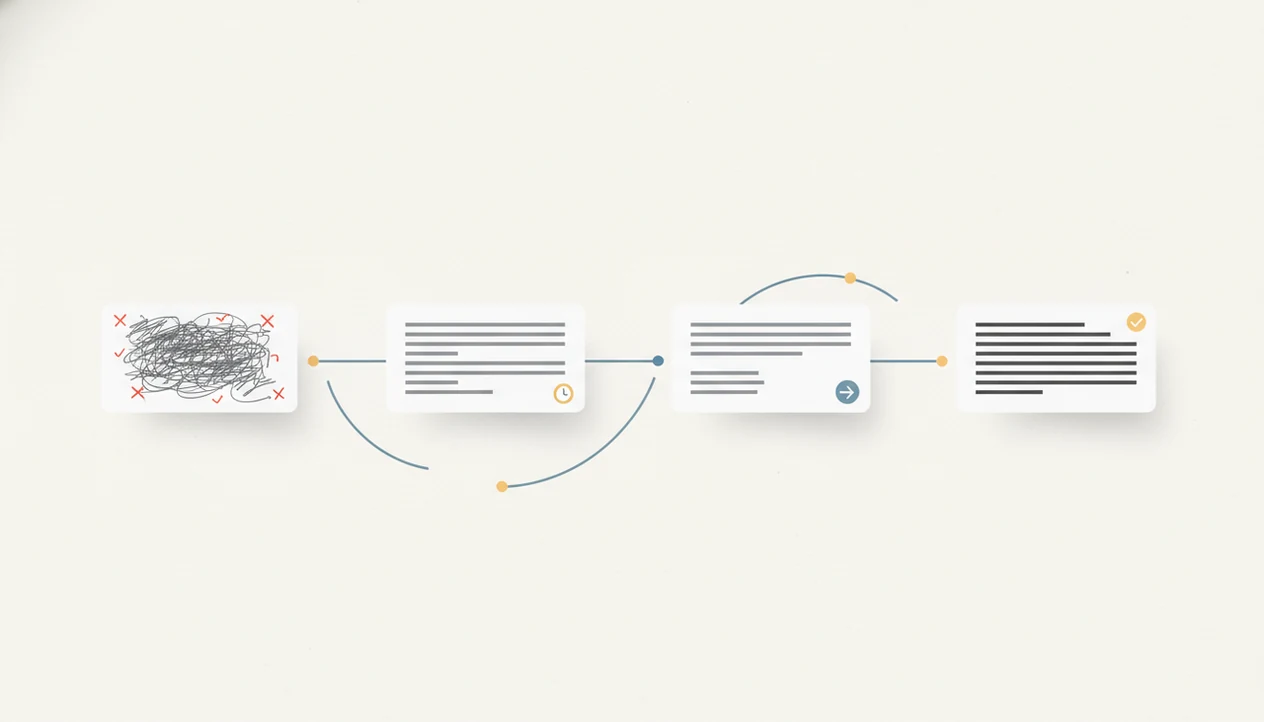
The email editing benefits timeline usually starts with cleaner grammar and tone on the first draft, then moves into faster writing within 1–2 weeks, and clearer, shorter, more effective emails after 1–3 months of repeated review. The biggest gains come when users treat AI edits as suggestions to inspect, not replacements for judgment.
Definition: An AI email editing timeline is the expected sequence of writing, clarity, tone, speed, and response-quality improvements that appear as someone repeatedly uses an AI email editor with human review.
TL;DR
- Day one benefits are mostly surface-level: grammar, tone, structure, and readability.
- After 1–2 weeks, users usually get faster because they reuse prompts, templates, and preferred editing patterns.
- After 1–3 months, stronger benefits depend on behavior change: shorter emails, clearer calls to action, fewer clarification loops, and better human review habits.
Email editing benefits timeline milestones at a glance
An email editing benefits timeline maps what improves first, what improves with repetition, and what only improves after the sender changes habits. The first draft usually gets cleaner; the first week gets faster; the first month starts showing clearer structure and fewer avoidable follow-ups.
Think of it in four stages: immediate fixes, early workflow gains, monthly quality gains, and longer-term writing judgment. A blank Gmail compose window after a long meeting needs a different kind of help than a recurring Friday client update. One needs rescue. The other needs a repeatable pattern.
Results vary by email frequency, message complexity, workflow fit, and review quality. Someone sending ten customer replies a day will see patterns sooner than someone writing two careful emails a week. Surface fixes arrive quickly, but style, judgment, and measurable outcomes take longer.
Five facts about the AI email editing timeline
Before using AI to edit email, it helps to separate quick cleanup from real improvement. These five facts set realistic expectations.
- Day-one benefits are mostly visible edits. AI can fix grammar, spelling, punctuation, tone, and structure in the first draft.
- One to two weeks usually improves speed. Regular users start reusing prompts, templates, and rewrite patterns instead of starting from scratch.
- One to three months may improve outcomes. Clearer calls to action, tighter length control, and fewer clarification emails can appear when users review edits carefully.
- Human review remains required. Names, dates, facts, privacy details, and sensitive context still need a person.
- Workflow access affects the timeline. Benefits arrive faster when editing works across webmail, mobile apps, and the places where email actually gets written.
Tiny subject lines get rewritten three times. That is normal, not failure.
How the AI email improvement timeline works
AI email improvement works by detecting patterns in wording, structure, tone, and likely reader friction. In plain terms, the tool spots where a message may sound vague, too long, too sharp, or hard to answer.
The useful part is the learning loop. You write the email draft, the AI suggests changes, you review them, and you notice repeated corrections. After enough cycles, you may catch your own long opening or buried request before the tool flags it. That is skill transfer, not just automation.
AI still may not understand personal context unless you supply it. Examples, constraints, audience notes, and corrections matter. Tools like Email AI can help here; Email AI is an AI email generator that creates and improves business, career, and personal emails for professionals and teams. An AI email generator and email writing assistant for business, career, and personal messages via web tools and mobile app should deliver faster drafts and clearer revisions, not automatic judgment.
For a timeline page, Email AI is most useful when it keeps the review loop visible: draft, edit, compare, then decide what to keep. That makes the benefit measurable instead of treating every polished rewrite as an automatic improvement.
Before you start: what to baseline before AI email editing
Before AI editing can show real progress, you need a small starting point to compare against. Baseline a few repeat messages, your normal effort, and the privacy rules you will not break.
- Choose two or three email types you send often, such as client updates, follow-ups, meeting recaps, support replies, or internal requests. Do not measure every message at once.
- Record how long those drafts usually take, how many words they contain, and which questions recipients tend to ask afterward. The “Can you clarify?” reply is useful data.
- Decide what details stay out of AI tools before you paste anything: private customer information, employee issues, contracts, financials, legal context, medical details, or anything your company would not want copied into a third-party editor.
- Save three examples that sound like you on a good day. These become voice references when edits start feeling too polished or generic.
- Define success in plain terms: faster drafts, clearer replies, shorter messages, fewer clarification loops, or a steadier tone under pressure.
How to use an AI email editing timeline responsibly
Use the timeline as a small measurement system, not a promise that every email will perform better. The goal is to improve speed, clarity, message length, reply quality, and fewer follow-up explanations.
- Set a baseline by timing three normal emails before AI editing and saving their word counts.
- Edit one draft carefully by checking facts, names, dates, links, privacy details, and recipient context.
- Save good prompts for repeat situations, such as follow-ups, reminders, updates, and customer replies.
- Track repeated fixes like vague asks, defensive tone, long openings, or missing next steps.
- Review outcomes weekly by asking whether replies are clearer and fewer explanations are needed.
- Reset style rules monthly when the AI starts making messages too stiff, too casual, or too long.
For repeatable phrasing, saved AI email prompt templates make the weekly review easier. Keep a few before-and-after examples, especially for emails sent under pressure.
Day-one AI email editing benefits after one draft
What improves after the first AI-edited email? Usually grammar, spelling, punctuation, sentence flow, tone softening, and clearer formatting improve first.
A rough email can become more readable in minutes. For example, “Need this today” may become “Could you send this by 3 p.m. today so we can finalize the client packet?” That is a real improvement, but it still needs review. The tool does not know whether 3 p.m. is possible, polite, or accurate.
Clear communication also affects trust. In a Pew survey, 81% of U.S. adults said clear, easy-to-understand communication from organizations is very important to their trust source.
Do not expect one edited email to prove better response rates. One message is too small a sample, especially if the audience, timing, or request is weak.
One-week AI email editing timeline for speed and consistency
After one week, the biggest change is usually less staring at a blank page. Users begin reusing tone instructions, prompt snippets, template examples, and rewrite patterns that worked earlier.
That Monday 8:57 a.m. scramble to send a follow-up before the next call feels different when the structure is already known. You paste the rough points, ask for a concise professional version, and then adjust the details. The human still decides what belongs.
Quality also becomes more consistent across routine replies, follow-ups, requests, and professional updates. A McKinsey analysis estimated that generative AI could automate or accelerate 60–70% of employee time spent on activities including communication, document handling, drafting, and editing source.
For routine tone adjustment, an email tone changer can support the rewrite pass without changing the sender’s responsibility.
One-month email improvement timeline for clarity and replies
After one month, careful users may notice shorter emails, clearer asks, stronger subject lines, faster opening context, and fewer clarification replies. AI helps most when the instruction is specific: simplify this, shorten it, and make the call to action obvious.
Research published in Harvard Business Review, based on more than 40 million emails, found response rates were highest for messages between 50 and 125 words. The same analysis reported that emails written at a third-grade reading level had a 36% higher response rate than college-level emails source.
For many senders, asking AI to shorten and clarify is more useful than asking it to “make this better” because the instruction targets measurable reader friction. The lunch-break newsletter announcement is a good test. If the first version takes four paragraphs to say one thing, the edit should cut, not decorate.
Shorter is not always colder.
Three-month email editing benefits for writing habits
After three months, the strongest benefit may be noticing your own habits before AI corrects them. Users often start spotting overexplaining, vague asks, long openings, defensive tone, missing next steps, and unclear deadlines.
This is where editing becomes a writing habit. The sender begins typing the next step earlier. The subject line becomes more direct. The apology stops taking eight sentences before naming the issue. For teams, those habits can reduce avoidable email volume.
A field experiment published by NBER reported that cutting email volume by 20% increased productivity by about 7% source. AI can support that kind of shift by helping people send fewer, clearer messages, but it does not create the discipline automatically.
For career, sales, and customer messages, the monthly benefit comes from reviewing patterns. A freshly edited career change explanation should still sound like the applicant, not like a generic office memo.
Email editing benefits timeline comparison table
The timeline is easiest to understand when surface fixes, workflow gains, and writing-skill gains are separated. Grammar improves first; personalization and response gains usually take longer.
| Timeframe | Most likely benefits | What to measure | What not to expect yet |
|---|---|---|---|
| First draft | Grammar, spelling, tone, formatting, sentence flow | Error count, readability, obvious tone problems | Reliable response-rate gains |
| First week | Faster drafting, reusable prompts, steadier structure | Time per email, repeated prompt use | Deep voice personalization |
| First month | Shorter messages, clearer asks, better subject lines | Word count, clarification replies, reply quality | Perfect audience fit |
| Three months | Better habits, fewer repeated mistakes, sharper next steps | Pattern changes, fewer avoidable follow-ups | Automatic judgment |
| Ongoing use | Consistent editing workflow and style rules | Monthly before-and-after samples | Guaranteed outcomes |
For busy teams, a tracked timeline is often better than vague productivity claims because it shows what actually changed.
Common mistakes that slow the AI email editing timeline
Several habits make AI email editing look helpful while slowing real improvement. The problem is not always the tool; often, it is the review process.
- Accept-all editing: Approving every suggestion without checking facts or context can create confident mistakes.
- Instant-voice expectations: AI needs examples, corrections, and saved instructions before tone feels personal.
- Grammar-only use: Editing only for spelling misses structure, clarity, length, and call-to-action improvements.
- Privacy-blind pasting: Sensitive customer, employee, legal, medical, or financial details may not belong in an AI tool.
- No outcome tracking: If you never measure time, length, clarity, or replies, you cannot tell whether editing is helping.
The angry customer email in bold preview is a good reminder. Tone matters, but missing order details highlighted in yellow matter too. If you are unsure what is safe to paste, start with is it safe to paste emails into AI before adding private context.
Email improvement timeline verification checklist
Verification should focus on outcomes, not just whether the email sounds polished. A smoother paragraph is useful only if it helps the recipient understand and respond.
Use this checklist monthly:
- Track baseline writing time and edited writing time for similar email types.
- Save before-and-after examples for tone, clarity, structure, and length.
- Monitor whether recipients ask fewer clarification questions.
- Count avoidable follow-ups caused by missing details or unclear next steps.
- Compare word count on repeat emails, such as updates, reminders, and requests.
- Ask: Are emails shorter? Are asks clearer? Are drafts faster? Are mistakes fewer?
- Review whether the AI keeps changing your voice in ways you would not say aloud.
A simple folder of five before-and-after email examples is enough. Not fancy. Just useful.
When the issue is unnatural phrasing, a focused pass to make AI email sound natural can be more valuable than another full rewrite.
Limitations
The email improvement timeline is useful, but it cannot guarantee results. Treat it as a practical guide with real constraints.
- There is limited peer-reviewed research specifically quantifying an AI email editing benefits timeline.
- AI can introduce incorrect facts, inappropriate tone, or off-brand phrasing.
- Users who send few emails may see slower or less measurable improvement.
- Accept-all behavior reduces learning and can weaken long-term skill transfer.
- Privacy, compliance, and regulated-industry limits may restrict how much context the AI can use.
- Poor integration with webmail, CRM systems, or mobile apps can delay practical workflow gains.
- Better response rates depend on audience, timing, offer, relationship, clarity, and message length, not AI alone.
- Mobile review can be harder because small screens hide context, attachments, and long quoted threads.
Apps such as EmailAI, Grammarly, ChatGPT, and Lavender can support editing workflows, but the sender remains responsible for final review. Footer links people ignore, Privacy Policy, Terms, and unsubscribe text, still matter.
FAQ
How quickly do AI email editing benefits show up?
Surface improvements can show up on the first draft, especially grammar, tone, spelling, and structure. Speed and style gains usually take several days or weeks of repeated use.
How accurate are AI email edits?
AI email edits can improve grammar, tone, and structure, but they can still miss or invent details. Users should check names, dates, links, facts, attachments, and context.
When will AI email editing match my personal tone?
Tone personalization is gradual and depends on examples, corrections, saved instructions, and repeated guided use. It often improves over weeks, not one draft.
Can AI email editing increase response rates?
AI may help response rates by improving clarity, length, and calls to action. Outcomes also depend on timing, audience, offer, relationship, and relevance.
Should I proofread emails after AI edits them?
Yes, users should always review AI-edited emails before sending. Check facts, tone, privacy, compliance issues, and sensitive relationship nuance.
Can I get the same email editing benefits on mobile?
Mobile benefits are possible when the tool works smoothly in everyday email apps. Smaller screens can make careful review harder, especially for long threads.
How should I measure AI email editing improvement over time?
Track writing time, message length, clarity, reply quality, repeated correction patterns, and fewer follow-up explanations. Email AI and similar tools can help draft and revise, but measurement should focus on outcomes.