
Professional Email Writing Timeline With AI Help
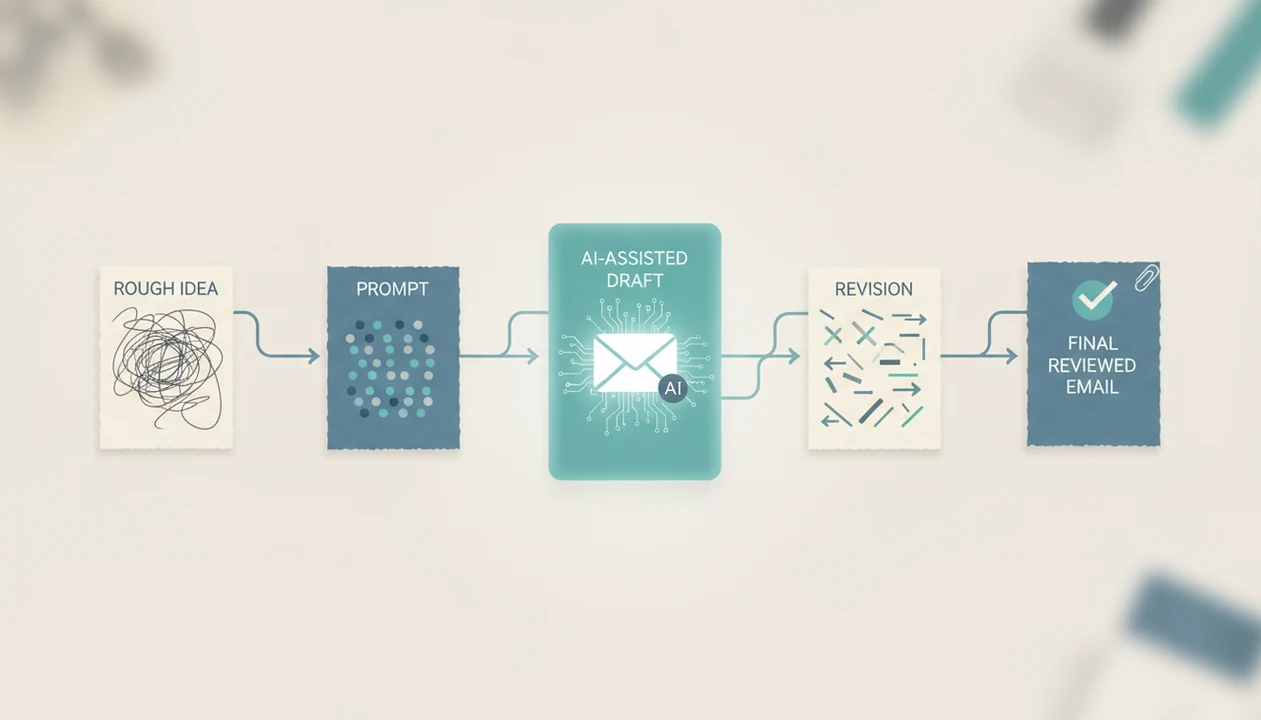
A professional email writing timeline moves from a rough idea to an AI-assisted draft, then through rewrite, proofreading, fact-checking, and final send review. The key is to treat AI as the drafting accelerator, not the final approver.
Definition: A professional email writing timeline is the step-by-step email draft process that turns a purpose, recipient, and key details into a polished message ready to send.
TL;DR
- Start with the purpose, recipient, desired outcome, facts, and tone before asking AI to draft.
- Separate fast AI draft generation from the human review time needed for tone, accuracy, and professionalism.
- Do not send the first AI output without checking names, dates, attachments, claims, and the call to action.
Professional Email Writing Timeline Definition and Typical Stages
A professional email writing timeline is the complete route from “I need to send something” to a reviewed message that is safe to send. The usual stages are idea, prompt, AI draft, rewrite, proofread, fact-check, and final send.
The AI part may take seconds. The professional part takes judgment. That includes deciding whether the tone fits the recipient, whether the requested action is clear, and whether the facts are correct.
A blank Gmail compose window after a long meeting is where this timeline helps most. Instead of typing from scratch, you turn the situation into usable inputs first. Tools like Email AI can create and improve business, career, and personal emails, but the sender still owns the final message.
For workplace emails, the timeline is often more useful than the tool name because it shows what must happen before send.
Five Professional Email Writing Timeline Facts Before You Start
- A professional email is not finished when AI creates the first draft; it still needs tone, fact, and action review.
- Better prompts produce more relevant emails because they include the purpose, recipient, context, and required details.
- Most AI email workflows follow a simple loop: start with an idea, refine the draft, copy it, and send after review.
- AI can speed up drafting, but it does not replace human judgment about accuracy or appropriateness.
- The full timeline includes both drafting time and review time, not just the moment the AI output appears.
That distinction matters during the Monday 8:57 a.m. scramble to send a follow-up before the next call. A fast draft helps, but a wrong meeting date still creates a problem. For many professionals, a professional email generator is useful only when paired with a clear review habit.
Fast is not finished.
Before You Start: Inputs for a Professional Email Draft
Before you ask AI to draft a professional email, prepare the facts and boundaries the message must follow. Good inputs reduce generic wording, missing details, and risky assumptions.
- Name the recipient by writing down who will receive the email, your relationship to them, and the reason you are contacting them now.
- Gather the required details before prompting, including names, dates, links, prices, policies, attachments, meeting references, and any deadline the recipient must understand.
- Choose the tone you want in the first draft, such as concise, formal, warm, apologetic, firm, or neutral. This prevents the tool from guessing the relationship.
- Classify the stakes by deciding whether the email is a routine update or something that needs manager, legal, HR, client, or finance approval before sending.
- Remove restricted information if your company limits AI tool use. Replace confidential customer names, contract terms, account numbers, or internal notes with safe placeholders when policy requires it.
A clean input list makes the next step faster because the draft starts closer to the message you actually need.
AI Email Workflow Timeline Mechanics
An AI email workflow timeline works by turning user instructions, context, and requested tone into likely email language. The system predicts useful wording from the prompt, then improves the output through an input-output-revision loop.
In plain terms, you give the tool a job, it drafts, you respond with feedback, and it rewrites. The light technical term is “prompt conditioning,” which means the draft is shaped by what you tell the model before it writes. If the prompt says only “write a follow-up,” the result will probably sound generic. If it includes the client name, prior call, deadline, and tone, the draft has more to work with.
Email AI is an AI email generator and writing assistant for business, career, and personal messages; it can deliver faster drafts and rewrite options, but it cannot verify truth, context, or professional judgment.
A tiny subject-line field still gets rewritten three times sometimes.
Five-Step Professional Email Writing Timeline With AI
Use this professional email writing timeline when you want a repeatable AI-assisted email draft process from idea to final send. As a rough planning range, a low-stakes update may take 2 to 5 minutes from prompt to send, while a client, HR, legal, or financial email may need 10 to 20 minutes because the review stage is longer than the draft stage.
- Set the goal by naming the recipient, purpose, desired outcome, and deadline.
- Enter the context with names, dates, prior messages, attachments, constraints, and preferred tone.
- Generate the draft with a subject line, greeting, message body, call to action, and signoff.
- Revise the draft for tone, clarity, length, specificity, and recipient fit.
- Verify before sending by checking facts, links, attachments, recipients, and the final request, then copy the reviewed version into Gmail, Outlook, or another email app.
For busy teams, this sequence is often easier than drafting directly in the email window because each stage has one job. A work email generator can help with the drafting stage, but it should not collapse the review stage.
Step 1: Build the Email Draft Process From Purpose and Context
“What should I gather before asking AI to write a professional email?” Start with the recipient, relationship, purpose, and desired outcome.
Collect the names, titles, dates, deadlines, links, attachments, and constraints that the message must include. Then choose a tone: formal, warm, concise, apologetic, persuasive, or neutral. Prompt quality controls much of the first draft quality, so vague inputs usually create vague emails.
A useful prompt might say: “Write a concise follow-up to Dana, a hiring manager, thanking her for Tuesday’s interview and asking about the timeline for the second round.” That is stronger than “write interview follow-up.”
Use this when the message has stakes. Salary questions, client delays, refund updates, and professor emails all need context before style. The careful rewrite of a salary question is not the place to let AI guess.
Step 2: Generate the First AI Email Draft
Enter the purpose, recipient, tone, and required details into the AI email tool, then ask for a complete first draft. The first draft should give you structure: subject line, greeting, body, call to action, and signoff.
Do not treat that output as final. It may be too long, too formal, too generic, or missing the one detail that makes the message useful. A shipment update written between orders, for example, still needs the actual tracking status and expected date.
Productivity research supports the drafting benefit, but the evidence is task-specific. A Harvard Business School field experiment found consultants using GPT-4 finished assigned tasks about 25% faster and produced higher-rated work: https://www.hbs.edu/ris/Publication%20Files/24-013_40473489-0b71-42d6-a1c6-0d3b0cf73364.pdf. A 2024 NBER customer-support study found generative AI access increased productivity by 14% on average: https://www.nber.org/papers/w31161.
Those gains are real, but task-specific. The draft may arrive quickly; the review still belongs to you.
Step 3: Rewrite the Professional Email for Tone and Clarity
The rewrite stage turns a usable AI draft into a professional email that sounds like a real sender. Tighten long sentences, remove filler, adjust the tone, and replace generic phrasing with the specific facts the recipient needs.
A practical rewrite prompt is: “Can you make this sound less annoyed?” Another is: “Make this warmer but keep it under 120 words.” These small tone adjustments matter when the first version reads too stiff or too defensive.
The requested action should be easy to answer. “Can you approve the attached estimate by Friday at 3 p.m.?” is clearer than “Please let me know your thoughts.”
Apps such as EmailAI can help with rewrite passes for tone, clarity, grammar, length, or formality. For shorter messages, a concise email rewriter can make the review stage faster without removing the sender’s responsibility.
Step 4: Proofread and Fact-Check the AI Email Workflow Timeline
Proofreading and fact-checking are the safety stage of the AI email workflow timeline. Check spelling, grammar, punctuation, spacing, paragraph breaks, and formatting before you look at the message as a whole.
Then verify the facts. Confirm names, titles, company names, dates, prices, times, links, attachments, and meeting references. Make sure the email does not overpromise, cite unsupported numbers, or imply approval you do not have.
This is where many rushed sends fail. The refund request at the top of the queue may need a policy reference, not just a polite apology. An AI draft can sound confident even when it is missing the actual policy.
Human review remains necessary because AI can improve speed and phrasing without knowing whether the message is true. For difficult tone, a polite email generator can help soften wording, but facts still need checking.
Step 5: Final Send Checklist for a Professional Email Timeline
The final send stage is a short verification routine before the message leaves your control. Confirm that the subject line matches the message, the recipient is correct, and CC or BCC choices are intentional.
Check attachments and links. Read the email once from the recipient’s perspective. The call to action should be visible without rereading the whole message. If the email asks for approval, a meeting time, a document, or a payment decision, make that request plain.
Final send before a morning commute is risky because the brain skips small errors. Pause if the email involves legal, HR, sensitive customer, financial, or highly personal content. Get approval when needed.
For high-stakes messages, the safest final step is often waiting ten minutes and rereading. The delay feels annoying. It catches mistakes.
Common AI Email Draft Process Mistakes
The most common AI email draft process mistake is sending the first output without editing it. A first draft is a starting point, not proof that the message is accurate, complete, or appropriate.
Vague prompts are another problem. If the AI does not know the recipient, relationship, outcome, and key details, it will often produce a polished but thin email. That can make the sender sound distant or over-formal.
Other common mistakes include forgetting attachments, leaving placeholder dates, burying the requested next step, and accepting generic phrases such as “I hope this email finds you well” when the situation needs direct language.
A cold email draft beside a company website should use the company’s actual product, market, or recent trigger. Otherwise, it reads like everyone else’s outreach. A fast draft does not mean the full workflow is finished.
Limitations
AI email workflows are useful, but they have clear limits. Treat them as drafting support, not as automatic approval.
- AI email tools cannot guarantee factual accuracy without human review.
- Generation speed does not equal total workflow speed because prompting, rewriting, proofreading, and approval still take time.
- Generic phrasing can reduce personalization and credibility, especially in sales, hiring, support, and client messages.
- Sensitive, legal, HR, disciplinary, medical, financial, or highly personal emails may need extra review or no AI assistance.
- Productivity gains vary by user, task, writing skill, company policy, and available context.
- AI cannot know private context unless the user provides it safely and appropriately.
- Confidential details should be handled according to your organization’s privacy, security, and data-use rules.
- A fluent email can still be wrong, incomplete, or too forceful for the relationship.
Footer links people ignore, like Privacy Policy, Terms, and unsubscribe text, matter more when tools touch customer or workplace communication.
FAQ
What is a professional email writing timeline?
A professional email writing timeline is the sequence from idea to prompt, AI draft, rewrite, proofreading, fact-checking, and final send. It helps separate fast drafting from careful review.
How long should a professional email draft take with AI?
AI can create a draft quickly, often in seconds, but the full process includes prompt setup, revision, proofreading, and final review. More sensitive or complex emails usually take longer.
Can AI write professional emails for work?
AI can draft and improve work emails, including structure, tone, subject lines, and grammar. A human should still verify the facts, audience fit, and final wording.
What should an AI email prompt include?
An AI email prompt should include the purpose, recipient, relationship, tone, key details, and desired action. Names, dates, deadlines, links, and attachments should be included when relevant.
Should I edit an AI-generated professional email?
Yes, you should edit an AI-generated professional email for accuracy, personalization, and credibility. First drafts can sound generic or miss important context.
How do I proofread a professional email before sending?
Check grammar, spelling, punctuation, formatting, names, dates, links, attachments, and the requested action. Then read it once from the recipient’s perspective.
When should I avoid using AI for email writing?
Avoid or be very cautious with AI for sensitive, legal, HR, confidential, or highly personal emails. These messages may require expert review, manager approval, or direct human drafting.