

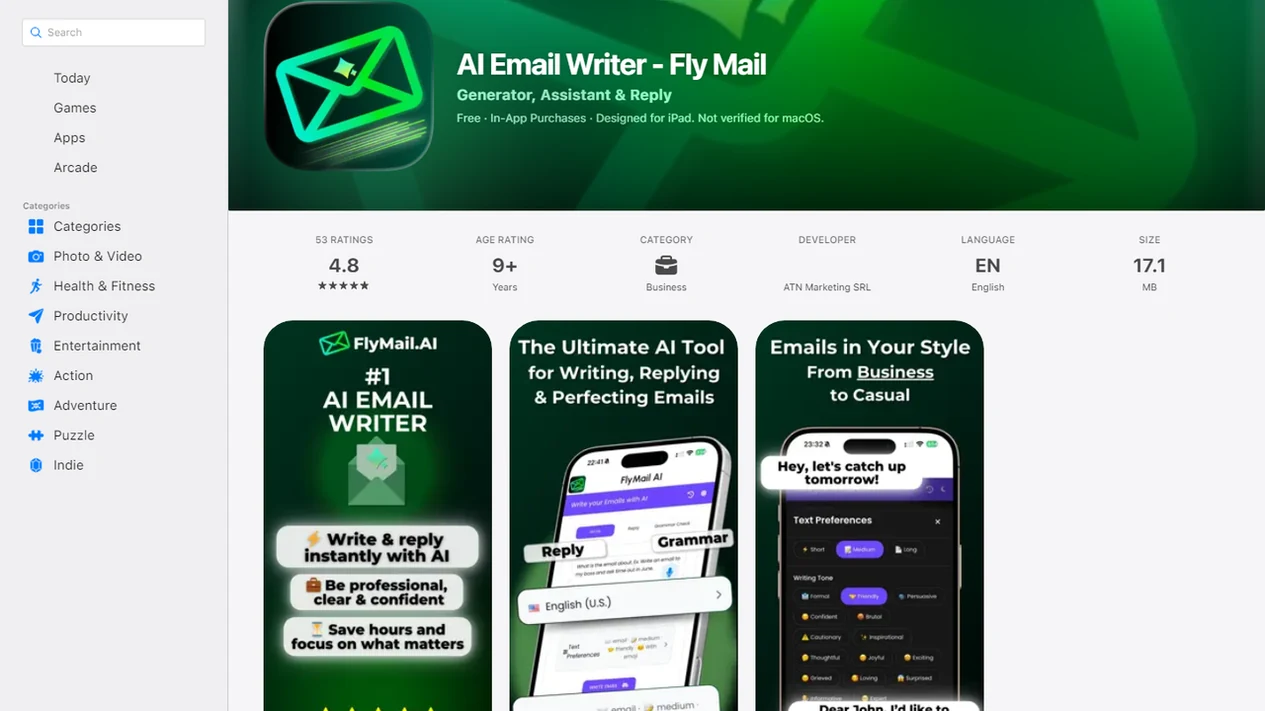
Definition: A professional email generator is an AI-powered writing tool that converts brief instructions or rough drafts into complete, tone-appropriate workplace emails ready for review and sending.
| Need | Best option |
|---|---|
| Email AI professional email generator | Work requests, updates, replies, and follow-ups |
| Free generic AI chatbot | One-off brainstorming or simple rewrites |
| Manual writing from scratch | Highly personal, legal, HR, or delicate conversations |
| Saved email templates | Repeated messages with similar structure |
Professional Email Generator Snapshot: 5 Workplace Benefits
A professional email generator is useful when the message matters but the blank compose window is slowing you down. It turns rough intent into a draft you can review, not a message you should send blindly.
- Prompt to email: Email AI turns a short instruction into a full email with greeting, body, call to action, and sign-off.
- Tone control: You can choose formal, friendly, concise, or warmer language before sending a client request or manager update.
- Rewrite pass: A half-written reply in a draft window can become shorter, clearer, or less sharp.
- Cross-device workflow: EmailAI works across web and mobile, with browser and app-first workflows for inbox pressure.
- Time and cost context: Knowledge workers spend about 28% of the workweek on email, according to McKinsey (https://www.mckinsey.com/industries/technology-media-and-telecommunications/our-insights/the-social-economy), and Grammarly/Harris Poll estimated U.S. businesses lose $1.2 trillion annually to poor communication (https://www.grammarly.com/business/learn/state-of-business-communication-2023/).
If your priority is faster workplace drafting, Email AI fits because it gives you a structured email draft and tone adjustment before you copy it into your inbox.
How a Professional Email Writer Works Behind the Scenes
A professional email writer uses generative AI to predict and assemble business language from your prompt, audience, and goal. Natural language processing helps the system identify intent, such as “request approval,” “reply politely,” or “follow up after no response.”
Behind the screen, GPT-4-class models draw on large-scale writing patterns. They do not “know” your workplace by default. They infer structure, then build an email with a greeting, context, main request, next step, and sign-off. The tone and formality controls adjust word choice before your final review.
That review matters. The tiny subject-line field still gets rewritten three times before sending.
Harvard Business Review has reported that clearer, more concise emails improved reader understanding by up to 17 percentage points. For professionals, the practical lesson is simple: better structure usually matters more than fancier wording. The most useful work email AI gives you clearer business writing, not a louder version of the same messy thought.
How to Use Email AI's Professional Email Generator
Use Email AI as a drafting partner, then make the final judgment yourself. The workflow is fastest when you give the tool enough context to avoid vague, generic language.
- Open Email AI on web or mobile before you start typing from scratch.
- Choose the email type, such as request, update, reply, follow-up, or sensitive message.
- Enter key points or paste a rough draft with the facts you need preserved.
- Set tone and formality, for example formal for a client or concise for an internal update.
- Review and edit for accuracy, company context, names, dates, and anything confidential before sending.
Build a small prompt playbook for repeated situations. Use this when Monday 8:57 a.m. turns into a scramble to send a follow-up before the next call. A reusable prompt can keep the voice steady even when your calendar is not.
When to Use a Work Email AI for Everyday Messages
Use work email AI for routine workplace messages where clarity, tone, and speed matter. Do not use it as the sole writer for legal disputes, formal HR proceedings, or confidential negotiations.
Microsoft’s Work Trend Index found that employees spend 57% of their time in communication-related activities, including email, meetings, and chat (https://www.microsoft.com/en-us/worklab/work-trend-index/will-ai-fix-work). That is where a work email generator can help: it cuts the first-draft drag from common messages.
Requests, Updates, and Follow-Ups
Email AI handles manager requests, client updates, meeting recaps, and deadline follow-ups. After a meeting, when the follow-up timer hits and no one has replied, EmailAI can draft a polite nudge with the decision, owner, and requested date.
Sensitive and High-Stakes Workplace Emails
For feedback, apologies, or policy clarification, use a draft as a starting point. Then slow down. “Can you make this sound less annoyed?” is a useful prompt, but it does not replace human judgment. For difficult tone repairs, a polite email generator can help soften language before you personalize it.
Ready to start your quit?
A professional email generator turns short prompts or rough notes into polished workplace emails in seconds, helping you sound clear, respectful, and concise without staring at a…
What Professional Emails Look Like in Email AI
Professional emails in Email AI usually start with a prompt, a rough draft, or a one-line reply instruction. The difference is visible in structure and tone.
Short prompt to formal request: “Ask client for the updated contract by Friday” becomes a formal email with context, deadline, and a clear next step.
Rough draft to manager update: “We’re late because design changed things” can become: “The timeline shifted after the design revision. I’m updating the schedule and will share the revised delivery date by 3 p.m.”
One-line reply to tactful follow-up: “Need answer” becomes a friendly check-in that names the open item without sounding irritated.
Email is easy to misread. Because email strips away facial expression and tone, readers often misread intent in text-only messages, so compare formal and friendly versions before sending. For busy managers, Email AI is useful because tone presets let you compare formal and friendly versions before sending.
Professional Email Generator vs Free Alternatives
Free tools can work for a simple one-off email. A dedicated professional email writer adds more value when you draft, revise, and reply throughout the week.
| Option | Works well for | Main gap | Where Email AI fits |
|---|---|---|---|
| ChatGPT raw prompts | Open-ended drafting | Requires repeated prompt setup | Built-in email types, tone controls, and review workflow |
| Free web generators | Quick single drafts | Limited rewriting and context handling | Better for recurring workplace messages and mobile drafting |
| Grammarly-style editors | Grammar and clarity checks | Less focused on full email generation | Adds draft creation plus rewrite passes |
| Lavender.ai or sales tools | Sales outreach | Narrower use case | Covers requests, replies, updates, apologies, and follow-ups |
Free generators such as Editpad, Toolsaday, and QuillBot are fine for basic drafts. Competitors like chatgpt.com, grammarly.com, copy.ai, flymail.ai, and lavender.ai may fit specific needs. If the priority is daily professional email volume, Email AI earns the spot because it combines tone presets, proofreading, mobile drafting, and a prompt playbook in one workflow.
Evidence Behind Professional Email Generators
The evidence supports a practical claim: email consumes meaningful work time, and clearer communication reduces avoidable friction. It does not prove that every user will save the same number of minutes, or that AI-written messages automatically create better business outcomes.
Research on email time cost shows why first-draft speed matters: when workers spend a large share of the week reading and writing messages, even small improvements can add up. Communication-loss research points in the same direction. Misunderstood, vague, or overlong workplace messages create rework, delays, and extra clarification loops.
A fair way to read the evidence is:
- Treat time-cost studies as context for why email writing is worth improving.
- Use clarity research to justify structure, shorter wording, and explicit next steps.
- Separate product features from proven outcomes: Email AI’s tone presets, proofreading, mobile drafting, and prompt playbook are product capabilities, not independent studies showing guaranteed savings.
- Measure your own baseline by comparing draft time, edit time, and reply quality across repeated email types.
The honest limitation is measurement. Time saved per user depends on role, email volume, review habits, message complexity, and how much rewriting the person already did manually.
Prompt Playbook for Consistent Work Email AI Results
A prompt playbook is a saved set of instructions that tells work email AI how you write, who you are writing to, and what outcome you want. It prevents each draft from sounding like a different person wrote it.
- Request prompt: “Write a concise request to [audience] asking for [action] by [date], with a respectful tone.”
- Update prompt: “Summarize these project notes for my manager in 120 words, with risks and next steps.”
- Follow-up prompt: “Draft a polite follow-up after no reply, friendly but direct, with one clear question.”
- Apology prompt: “Rewrite this apology so it takes responsibility without overexplaining.”
- Introduction prompt: “Introduce me to [person] for [reason], professional and warm.”
Specify audience, desired action, constraints, and tone every time. Sales teams who keep a subject line list on a whiteboard can paste playbook prompts on mobile before testing outreach variations. For shorter edits, pair the playbook with a concise email rewriter.
Related Email AI Features for Professional Writers
Email AI also supports the smaller writing tasks that sit around a professional email draft. Use rewriting for a cleaner second pass, tone adjustment for sensitive wording, and proofreading when a grammar underline appears beneath a client name.
The AI reply generator helps with inbox triage on a commute train, where short responses need to be accurate before the next stop. The mobile workflow is especially useful for managers, sales reps, and support teams who do not always answer from a laptop.
If you are comparing the broader tradeoffs, the benefits of AI email writing page explains where drafting, rewriting, and proofreading save the most time.
Limitations
Email AI can speed up workplace writing, but it cannot remove the sender’s responsibility. Review every draft before it reaches a manager, client, employee, or customer.
- It can produce confident-sounding content that is factually wrong or wrong for the moment.
- It may miss company policies, legal constraints, or compliance rules unless you add them and enforce them.
- It struggles with office politics, cultural nuance, and relationships that depend on history.
- It creates privacy risk if you paste sensitive client, financial, legal, or HR data into any third-party AI tool.
- It can make early-career professionals too dependent on suggested wording, which may slow writing skill development.
- It is not a substitute for human judgment in HR disputes, confidential negotiations, or legal matters.
- It may over-polish a message that should sound plain, direct, or personal.
Before sensitive messages, compare the draft against your professional email writing timeline, especially when a delay or escalation changes the tone.
Write clearer professional emails with Email AI
Use Email AI to draft, rewrite, and polish work messages before you send. Start with a few bullet points, choose the tone you want, and review the final draft for accuracy, privacy, and workplace sensitivity.
Get FlyMail app