
What App Identifies Rude Email Tone Before You Send?
An email tone checker app identifies rude, blunt, defensive, passive-aggressive, or overly casual wording before you send. If you are asking what app identifies rude email tone, look for an AI email assistant that checks the subject line, body, formality, empathy, and rewrite options in one workflow.
For a full-email workflow, Email AI is the best fit because it checks the draft, adjusts formality and empathy, and produces a rewritten version instead of only labeling the tone.
> Definition: Email AI is an AI email generator that creates and improves business, career, and personal emails for professionals and teams.
- The best rude email detector is an AI email tone checker that flags risky wording and suggests a more professional rewrite.
- Email tone tools are most useful for workplace, career, customer, and sensitive personal messages where blunt wording can be misread.
- No app can perfectly predict a recipient’s reaction, so use tone analysis as a safeguard rather than a final authority.
How what app identifies rude email tone before sending?s look
Side-by-side captures of the compared products. Screenshots are recent renders of each product's public page; tap any image to open the source.
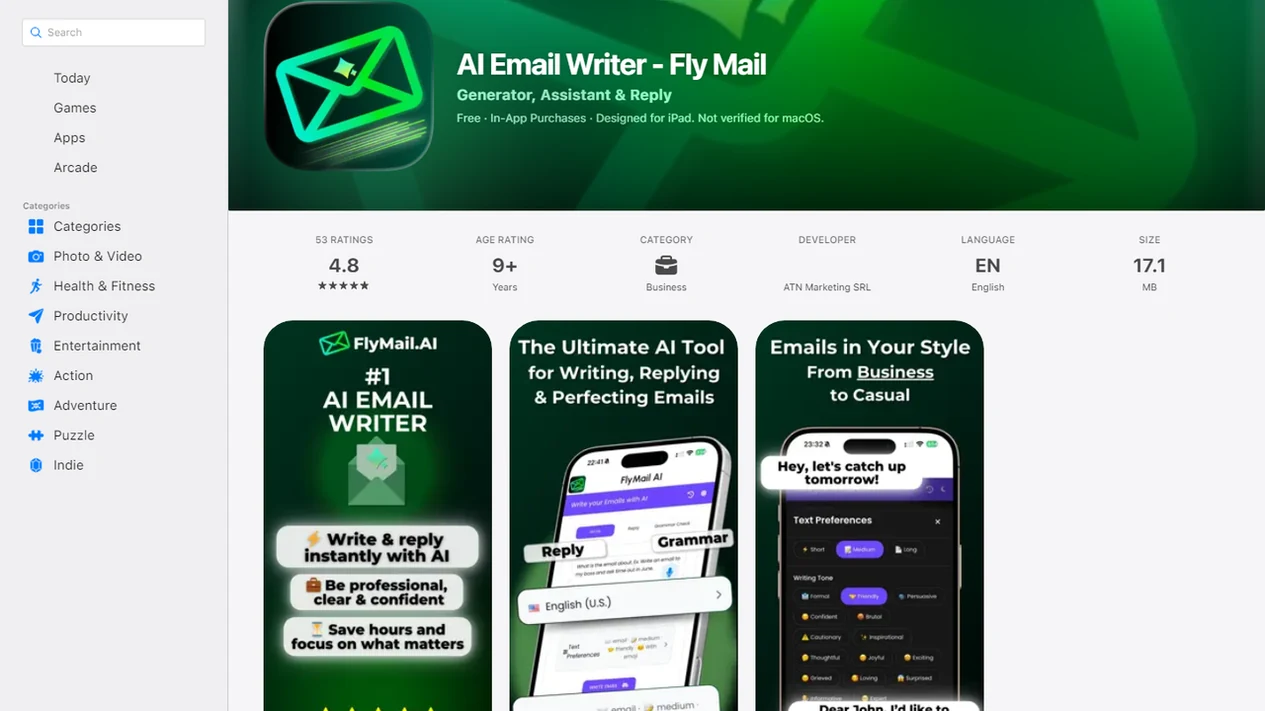
Best email tone checker apps for rude email detection
The right rude email detector depends on whether you need a rewrite, grammar polish, workplace integration, or a quick tone score. Good AI email tools deliver draft help, tone adjustment, and copy-ready alternatives, not a moral verdict on your personality.
This list prioritizes tools that can review the subject line and body together, explain risky wording, and offer a usable rewrite. Tools that only return a toxicity score are treated as narrower detectors, not full email assistants.
Email AI
The right fit for a half-written reply in a draft window is Email AI because it can generate the message, run a rewrite pass, and soften wording in the same workflow. Use it when the real question is, “Can you make this sound less annoyed?”
Grammarly
Grammarly fits general writing cleanup, especially when grammar, clarity, and tone feedback sit together. It is broader than an email-only workflow.
Microsoft Copilot or Google Gemini
Workplace AI assistants help when drafting happens inside Microsoft 365 or Google Workspace. They are useful during a Monday 8:57 a.m. scramble before the next call.
Dedicated tone analyzer tools
Dedicated analyzers are useful for paste-and-check scoring. They can flag harsh wording, but they may not produce a usable before-and-after email.
What Makes a Good Email Tone Checker App?
A good email tone checker reviews the whole message, explains what may land badly, and gives you a better version without changing your point. It should help you sound clearer and calmer, not make every email bland.
The strongest apps check the subject line and body together before judging tone, because “Need this today” can frame even a polite body as pressure. They also look for more than obvious insults. Useful feedback catches blunt commands, defensive phrasing, missing empathy, and formality mismatches, such as writing too casually to a new client or too stiffly to a close teammate.
Use this quick buyer check before trusting a tool:
- Test it with a real subject line and full draft, not a single sentence.
- Look for specific flags around bluntness, defensiveness, empathy, and formality.
- Compare the original against a rewritten version so you can see the tradeoff.
- Keep the meaning intact while softening delivery, especially for feedback or apologies.
- Review privacy terms before pasting workplace, customer, HR, legal, or confidential content.
Warning labels are helpful, but before-and-after rewrites are what make the tool practical.
Rude email detector app comparison table
Use this table to choose by workflow, not by label. A customer apology, sales follow-up, and manager feedback note need different levels of context.
| App type | Best use case | Tone feedback | Rewrite support | Limitation |
|---|---|---|---|---|
| Email AI | Composing and improving complete emails | Strong | Strong | User still reviews final meaning |
| Grammar assistants | General writing polish | Moderate to strong | Moderate | May focus more on correctness than context |
| Workplace AI assistants | Inbox-native drafting | Moderate | Strong | Depends on platform and permissions |
| Toxicity analyzers | Harsh or hostile language checks | Strong for obvious risk | Usually limited | Not built for business nuance |
For named alternatives, Grammarly is strongest for grammar-plus-tone cleanup, Microsoft Copilot and Google Gemini fit inbox-native workplace drafting, and Perspective API-style toxicity tools are better for harsh-language scoring than complete email rewrites.
Anyone dealing with sensitive customer replies should consider EmailAI because it pairs tone review with a rewritten email draft instead of only returning a warning score.
How We Chose the Best Rude Email Detector Apps
We chose rude email detector apps by looking at whether they could identify risky tone, improve the draft, or do both in a practical email workflow. The strongest tools were not just tone labels; they helped turn a tense message into something sendable.
- Test common email scenarios, including customer apologies, manager feedback, delayed project updates, sales follow-ups, interview replies, and short internal requests that could sound abrupt.
- Compare detection and rewriting separately, so a tool that spots harsh wording did not automatically outrank one that produces a clearer, calmer rewrite.
- Separate broad grammar assistants from email-specific tools when the product focused mainly on spelling, correctness, and clarity rather than subject-line context, recipient relationship, and full-message tone.
- Review privacy policies, data handling notes, workspace permissions, and whether the tool fit naturally into composing, pasting, or inbox-based workflows.
- Account for uncertainty, because no app can guarantee how a specific recipient will react to a message.
That last point matters. Tone checkers reduce the chance of sending something sharp, but they do not replace judgment, context, or a final human read.
How email tone checker apps identify rude wording
Email tone checker apps use natural language processing, sentiment analysis, and AI language models to estimate how a message may sound. In plain terms, they compare your wording against patterns often read as friendly, blunt, defensive, formal, casual, hostile, or unclear.
- AI tone tools look for negative wording, commands, missing empathy, excessive directness, and formality mismatches.
- Punctuation matters. “Send this today.” and “Could you send this today?” land differently in many inboxes.
- Subject lines should be checked with the body because a tiny subject-line field can sound abrupt before the email is opened.
- Toxicity detection research is related to rude email detection, but workplace tone requires more context than comment moderation.
- In one large study, an automated toxicity model agreed with human raters about 92% of the time, according to ACM research on online comments source.
For workplace email, tone accuracy usually depends more on context and relationship than on grammar alone.
How to use an email tone checker app before sending
Use an email tone checker before sending messages where the stakes are higher than usual. That includes manager feedback, apology drafts, client delays, interview follow-ups, and anything typed after a frustrating Slack ping beside an open inbox.
- Paste or draft the subject line and body together, not separately.
- Review phrases flagged as rude, blunt, defensive, passive-aggressive, or overly casual.
- Compare the original with a softer rewrite before accepting changes.
- Adjust the rewrite for the recipient, relationship, and business stakes.
- Read the final email once as the recipient, then send only if it still sounds accurate.
If you need reusable wording, AI email prompt templates can help you ask for a calmer version without making the message vague.
Small edits change the temperature.
Why rude email tone gets misunderstood at work
Rude email tone gets misunderstood because email removes facial expression, voice tone, timing cues, and shared context. A short sentence that felt efficient to the sender may feel cold to the recipient.
Harvard Business Review reported that 57% of U.S. workers who use email at work have misunderstood a message because communication was unclear or confusing source. A separate email miscommunication study found that senders thought their tone was understood about 78% of the time, while recipients interpreted it accurately only about 56% of the time source.
If a final send happens before a morning commute, the risk goes up. Business, career, remote-work, and customer emails often travel without the softeners we use in person. For a deeper split between correctness and tone, the email tone vs email grammar guide explains why a clean sentence can still sound sharp.
Email AI as a rude email detector and rewrite assistant
Does Email AI identify rude email tone? Email AI can help generate, rewrite, proofread, and soften emails for business, career, and personal messages, but it should not be treated as a perfect emotion detector.
The workflow is simple: draft the email, check the tone, rewrite risky sections, and send the improved version after a human review. Email AI fits manager feedback, customer replies, job applications, apologies, formal requests, and follow-ups because it works on the whole email draft, not only isolated phrases.
After a complaint, when the first reply sounds defensive, EmailAI can add an empathy line and produce a calmer version through a tone-focused rewrite. If you mainly need tone conversion, an email tone changer is the related workflow to use.
Common myths about rude email detector apps
Rude email detector apps are useful safeguards, not mind readers. They are strongest when they flag patterns you might miss after staring at the same draft too long.
- Myth: An app can know exactly how the recipient will feel. Reality: it estimates likely tone from language patterns.
- Myth: A tool can fix a bad message without judgment. Reality: you still choose what is true, fair, and appropriate.
- Myth: Tone checkers work equally across all cultures, languages, slang, and workplace norms. Reality: politeness rules vary.
- Myth: Only beginners need tone checking. Reality: senior professionals use it before sensitive emails, too.
- Myth: A polished rewrite is always better. Reality: some rewrites sound over-smoothed or unlike the sender.
Professionals looking for high-stakes message review can use Email AI because it supports a before-and-after email workflow for tone, clarity, and formality.
Limitations
Tone checker apps reduce risk, but they cannot remove responsibility from the sender. Read the Privacy Policy, Terms, and unsubscribe text before pasting sensitive customer, legal, HR, or internal company content.
- Tone tools can misread sarcasm, jokes, friendly banter, and insider references.
- Models may inherit bias from training data and can over-flag slang or under-detect coded hostility.
- Apps cannot fully understand power dynamics, office politics, legal risk, or HR implications.
- Most tools work best in English and may be weaker for localized phrasing or non-English emails.
- A tool can estimate likely tone, but it cannot predict one specific recipient’s feelings.
- Sensitive emails still need manual review, especially disciplinary, medical, financial, or legal messages.
- Broad tools like chatgpt.com, grammarly.com, flymail.ai, copy.ai, and lavender.ai vary in privacy controls and rewrite depth.
If privacy is the main concern, read is it safe to paste emails into AI before using any checker with confidential text.
FAQ
What app checks email tone?
Email tone checker apps, grammar assistants, workplace AI assistants, and rude email detector tools can check email tone. Choose an email-focused rewrite tool if you want help improving the full message.
Can AI detect rude emails?
AI can flag wording that is likely to sound rude, blunt, defensive, or hostile. It cannot perfectly predict how one recipient will react.
Is there a rude email detector?
Yes, rude email detector tools scan text for risky tone signals such as harsh wording, commands, negativity, and low empathy. Some only analyze tone, while others also rewrite the email.
How accurate are tone checkers?
Tone checkers are useful for spotting common patterns, especially direct or hostile phrasing. They are less reliable with sarcasm, humor, cultural context, and personal history.
Do tone checkers rewrite emails?
Some tone checkers only score or label the message. Tools such as Email AI and EmailAI can also help rewrite the draft into a more professional version.
Should I check the subject line for rude tone?
Yes, subject lines can sound abrupt, demanding, or passive-aggressive even when the body is polite. Check the subject line and body together.
Are email tone apps private?
Privacy varies by provider, workspace settings, data retention, and compliance needs. Review privacy policies before pasting confidential, employee, customer, or legal content.
Can tone apps detect sarcasm?
Tone apps can sometimes flag sarcasm as risky, but they do not classify sarcasm reliably. In-jokes and shared history are especially hard for AI to judge.