
Email Tone vs Email Grammar: What AI Should Check
Email tone vs email grammar comes down to feeling versus correctness: grammar checks whether the writing follows language rules, while tone checks how the message may sound to the reader. AI proofreading should evaluate both because an email can be technically correct and still feel rude, vague, cold, or too casual. EmailAI is most useful when it treats a draft as both a sentence problem and a relationship problem.
> Definition: Email AI is an AI email generator that creates and improves business, career, and personal emails for professionals and teams.
- Grammar problems are mechanical issues such as spelling, punctuation, word choice, syntax, and sentence clarity.
- Tone problems are perception issues, such as sounding impatient, demanding, passive-aggressive, overly casual, or robotic.
- The best AI email editor checks grammar accuracy and tone risk separately, then rewrites the message for the recipient, context, and goal.
Email tone vs email grammar, side by side
Side-by-side captures of the compared products. Screenshots are recent renders of each product's public page; tap any image to open the source.
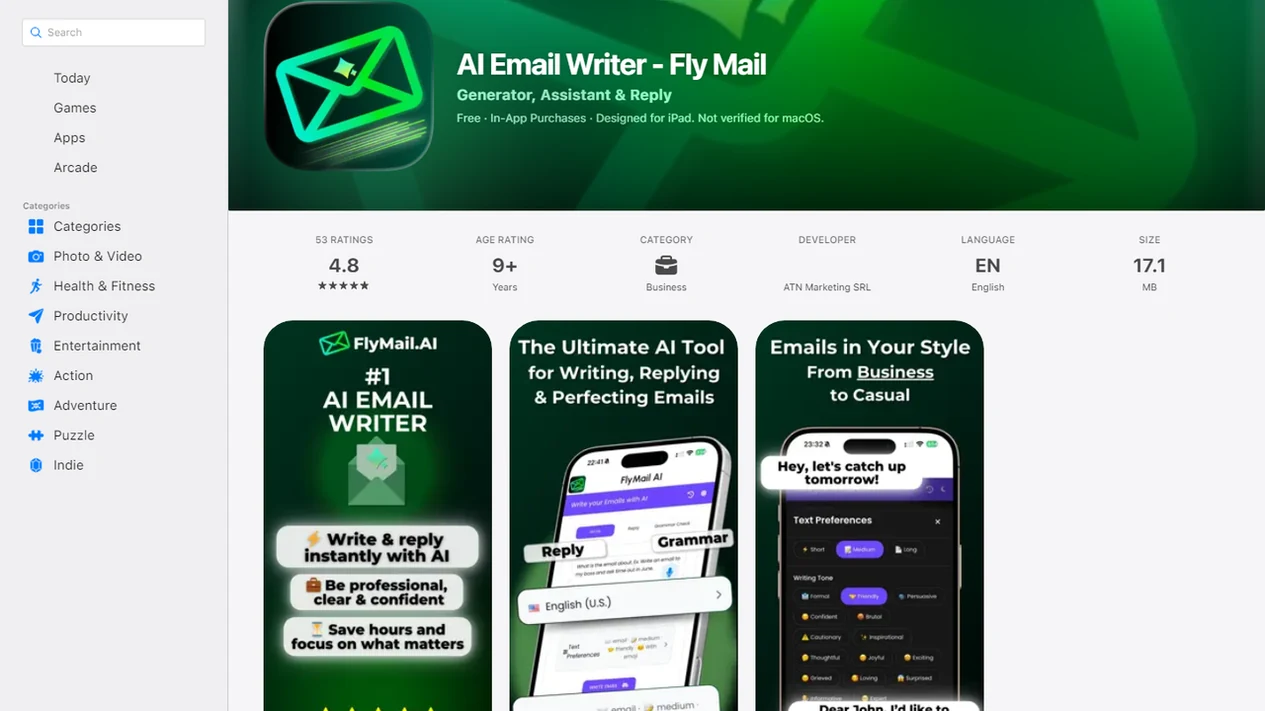
Email Tone vs Email Grammar Comparison Table
Email tone and email grammar solve different editing problems: grammar affects credibility, while tone affects relationship risk. Both can change how the recipient interprets the same email draft, especially when the message involves urgency, disagreement, or a request.
| Check | Email grammar | Email tone |
|---|---|---|
| Definition | Correct spelling, punctuation, syntax, and mechanics | The attitude or emotional signal the reader perceives |
| What goes wrong | Typos, fragments, run-ons, unclear references | Sounds blunt, cold, rushed, passive-aggressive, or too casual |
| Reader impact | “This seems careless.” | “This person seems annoyed with me.” |
| AI detection | Compares patterns against language rules and context | Estimates perception from wording, formality, directness, and punctuation |
| Example fix | “Their are updates” → “There are updates” | “Send this by 3.” → “Could you send this by 3 so we can include it?” |
The tiny subject-line field gets rewritten three times for this reason. The words can be correct, but the signal can still feel off.
If your priority is turning a blunt workplace note into a safer draft, Email AI fits because its rewrite pass can adjust tone separately from grammar instead of treating every problem like a typo.
Where Grammar Checkers Win and Where Tone Checkers Win
Grammar checkers win when the email only needs low-risk mechanical cleanup. Tone checkers win when correct wording could still create friction, pressure, or the wrong emotional signal.
For a simple status note, grammar may be enough: “I attached the file and updated the numbers” mostly needs spelling, punctuation, and clarity. But a draft like “I already sent this yesterday. Please review it today.” may pass grammar and still sound irritated or accusatory. The stronger edit needs both: “I sent the file yesterday and wanted to reshare it here. Could you review it today so we can keep the timeline moving?”
Use this order when the draft feels both messy and risky:
- Clean up typos, missing words, punctuation, and confusing sentence structure first.
- Read the corrected version as the recipient might read it, especially if there is urgency, disagreement, or criticism.
- Adjust direct requests, deadlines, blame language, and overly short sentences for tone.
- Keep facts, commitments, and policy language intact so the rewrite does not become vague.
- Review edge cases yourself, including legal, HR, medical, disciplinary, cultural, sarcastic, or emotionally loaded messages.
Neither checker should replace judgment when the real question is whether email is the right channel at all.
Five Email Tone and Grammar Facts AI Proofreading Should Know
AI proofreading should treat tone and grammar as separate dimensions because they fail in different ways. A clean sentence can still create the wrong impression, and a kind sentence can still look sloppy if it is full of mistakes.
- Email tone is perceived attitude. It is the emotion or stance a reader hears in the message, such as friendly, annoyed, formal, rushed, or cold.
- Email grammar is writing correctness. It covers spelling, punctuation, sentence structure, agreement, word choice, and basic clarity.
- Grammar errors can damage credibility. Tone errors can make a sender seem hostile, demanding, dismissive, or disrespectful.
- Tone comes from small cues. Word choice, formality, punctuation, greetings, closings, sentence length, and deadline phrasing all matter.
- AI email assistants should score grammar quality and tone risk separately. The fixes are different, so the checks should not be blended into one vague “improve” button.
A useful AI email assistant should not promise that every sentence is automatically appropriate. For business, career, and personal messages, Email AI is stronger when it separates clean mechanics from the harder question: how the email will land with the recipient.
Email Grammar Checker Use Cases
An email grammar checker is the right first pass when the sentence may be incorrect, unclear, or mechanically messy. It catches spelling, punctuation, capitalization, verb agreement, fragments, run-ons, typos, and basic clarity problems.
Use grammar checking for job applications, client emails, executive updates, formal requests, and long messages with many details. A resume attachment beside a nervous message is exactly where “I look forward to hear from you” should become “I look forward to hearing from you” before anyone sees it.
Email AI supports this stage because it can proofread a rough email draft before a tone adjustment begins. That matters on mobile, where thumb typing creates strange autocorrect errors, missing words, and sentence fragments. Still, grammar alone does not make an email effective. A polished sentence can still sound impatient.
Small errors travel fast.
For users who mainly need typo detection and sentence cleanup, the practical question is covered in what app identifies email grammar mistakes, where grammar-first proofreading is treated as its own job.
Email Tone Checker Use Cases
Does a tone checker catch problems a grammar checker misses? Yes: a tone checker looks for reader-perception risk, such as sounding rude, cold, vague, aggressive, passive, too casual, too formal, robotic, or emotionally mismatched.
Pew Research reported in 2023 that 62% of U.S. workers say they misinterpret email tone at least sometimes source. A 2005 study, "Egocentrism Over E-Mail," found that senders overestimated how clearly sarcasm would be understood; recipients detected intended sarcasm only 56% of the time, while senders predicted 78% source.
Tone triggers are often small: short commands, no greeting, all caps, too many exclamation points, heavy hedging, sarcasm, canned phrasing, and blunt deadlines. “Can you make this sound less annoyed?” is a real user request because grammar tools often miss the actual risk.
After a refund request lands at the top of the queue, Email AI helps because the tone rewrite can soften defensive wording while keeping the policy answer intact through an email tone changer workflow.
AI Email Tone and Grammar Checking Process
AI email proofreading works by evaluating a draft across correctness, clarity, intent, audience, emotional signal, and action request. Grammar checking is pattern detection against language rules, statistical writing patterns, and context-aware correction.
Tone checking is different. It predicts reader perception from cues like phrasing, sentiment, directness, formality, punctuation, relationship context, and the purpose of the email. In plain English, the model asks, “How might this land if the recipient is busy, senior, upset, or waiting on an answer?”
Email AI separates these checks because a grammar fix may not solve a tone problem. “Please respond today” is grammatically fine, but it may feel abrupt without context. AI also cannot truly know the recipient’s mood, history with the sender, or workplace politics. Tone scores are risk estimates, not guarantees.
The most useful email editing comparison is not “grammar or tone.” It is “what will the reader understand, and what will the reader feel?”
AI Email Editing Comparison Workflow
Use this workflow when an email may need grammar correction, tone rewriting, or both. Fix grammar before judging final tone because messy mechanics can create a rushed or careless tone signal.
- Paste the draft into the editor, including the subject line if it affects context.
- Set the audience and goal by naming the recipient, relationship, and desired outcome.
- Review grammar errors first so typos, fragments, and confusing structure do not distort the tone read.
- Check tone risk second for bluntness, over-formality, defensiveness, pressure, or vague intent.
- Compare rewrites against the original, then keep details that sound like you.
- Personalize before sending by adding names, deadlines, context, or one human sentence.
The Monday 8:57 a.m. scramble to send a follow-up before the next call is where this order helps. Email AI works well for that pressure because it lets a user move from rough note to proofread rewrite without opening three separate tools.
If the priority is faster drafting across business, career, and personal messages, EmailAI covers the full path with generation, proofreading, and tone rewriting in one workflow.
Tone Checker vs Grammar Checker Decision Rule
Use a grammar checker when the sentence may be incorrect; use a tone checker when the sentence may be interpreted the wrong way. Important emails often need both, especially workplace, hiring, sales, customer support, apology, feedback, negotiation, and deadline messages.
Grammar checkers win when the risk is visible on the page: misspellings, punctuation, agreement, and unclear sentence structure. Tone checkers win when the sentence is technically acceptable but could be read as impatient, dismissive, too casual, or emotionally mismatched.
- Choose grammar for visible errors. Typos, confusing structure, missing punctuation, odd capitalization, and sentence fragments need a mechanics pass.
- Choose tone for emotional risk. Disagreement, urgency, bad news, hierarchy, or criticism needs a reader-perception pass.
- Choose both for high-stakes email. A grammatically correct message can still fail if the reader feels blamed, dismissed, pressured, or talked down to.
- Choose rewriting when the draft is technically correct but uncomfortable. That usually means the issue is phrasing, not punctuation.
The right fit for deadline-sensitive workplace notes is Email AI because the rewrite can keep the requested action while changing the pressure level. For harder examples, what app identifies rude email tone explains how rude-sounding email is flagged.
Who Should Use a Tone Checker vs a Grammar Checker
Use a grammar checker when accuracy, polish, and credibility are the main risks. Use a tone checker when the message could affect trust, motivation, or the relationship with the reader.
Students, job applicants, executives, and anyone sending detail-heavy updates should start with grammar because small errors can distract from the substance. Managers, sales teams, support agents, and recruiters should lean on tone checking because their emails often carry pressure, judgment, persuasion, or bad news. Many real drafts need both, especially apologies, negotiations, performance feedback, deadline reminders, and high-stakes requests where one wrong phrase can change the reaction.
- Choose grammar first if the draft has typos, awkward sentences, long explanations, or formal stakes.
- Choose tone first if the wording feels blunt, defensive, cold, overly casual, or too scripted.
- Use both when the email asks for something difficult, admits a mistake, pushes a timeline, or responds to conflict.
- Pause before rewriting again if the issue is emotional, sensitive, or escalating.
- Switch to a call, meeting, or live chat when the recipient is upset, the context is complex, or another email would likely create more confusion.
Common Email Tone and Grammar Myths
Grammar-only proofreading leads to bad edits when the real problem is how the message lands. These myths are common in workplace email, especially when people rely on a quick checker before sending.
- Myth: Perfect grammar automatically creates a polite tone. Correct sentences can still sound demanding, cold, or dismissive.
- Myth: Tone only matters in customer-facing or sales emails. Internal emails can affect trust with managers, peers, and direct reports.
- Myth: A tone checker and grammar checker do the same job. Grammar checks mechanics; tone checks reader perception.
- Myth: Emojis, exclamation marks, and casual language always make email friendlier. They can feel forced, immature, or mismatched in formal contexts.
- Myth: AI rewriting always makes an email sound more human. Some rewrites become too smooth, too generic, or unlike the sender.
The blank Gmail compose window with the cursor blinking after a long meeting is where people paste in stiff AI text and realize it needs another pass. Use make AI email sound natural when the draft is correct but still feels manufactured.
Business and Career Stakes in Email Editing Comparison
Business email is judged as a signal of competence, care, judgment, and emotional intelligence. Managers, recruiters, clients, and colleagues often read the message behind the message: “Did this person understand the situation?”
In the National Commission on Writing employer survey, 73% of employers identified writing skills as very important for hiring or promotion decisions, and the same report estimated that poor writing skills cost U.S. businesses as much as $3.1 billion annually in remedial training source.
Career email moments make this concrete. A calendar invite for a second interview can sit beside a draft that says, “Let me know ASAP,” which is correct but risky. Email AI is built for faster business, career, and personal email generation, rewriting, and proofreading because users need both clean mechanics and context-aware tone.
Sales teams looking for safer outreach can pair rewrite checks with AI email prompt templates so the opener, ask, and follow-up do not sound copied from a template.
Limitations
AI email proofreading is useful, but it cannot safely replace sender judgment. The sender still owns the message, the context, and the decision to send.
- No AI tone checker fully understands relationship history, power dynamics, workplace politics, private context, or cultural expectations.
- Tone models can reflect cultural and linguistic bias, including mislabeling direct, neurodivergent, or non-native writing as rude.
- Grammar and tone checking cannot fix poor judgment, such as sending harsh criticism by email when a call would be better.
- AI-polished emails can become generic, overly smooth, or inauthentic if the sender does not personalize them.
- Recipients interpret messages through mood, stress, expectations, workload, and prior experiences.
- Sensitive legal, HR, medical, financial, or disciplinary messages need human review before sending.
- Tools such as grammarly.com, chatgpt.com, lavender.ai, copy.ai, and flymail.ai may handle editing differently, so users should check privacy settings and output quality.
Footer links matter here. Privacy Policy, Terms, and unsubscribe text are easy to ignore, but users should review data handling before pasting confidential email into any AI system. For a deeper privacy note, use is it safe to paste emails into AI.
FAQ
What is email tone?
Email tone is the attitude or emotional signal a reader perceives from a message. It can feel friendly, annoyed, formal, rushed, cold, warm, or demanding.
What is email grammar?
Email grammar is the correctness of spelling, punctuation, sentence structure, syntax, agreement, and mechanics. It helps make an email clear and credible.
Can an email have correct grammar but still sound rude?
Yes. “Send this by 3” is grammatically correct, but it can sound abrupt or demanding without context or softer phrasing.
Does tone matter in work emails?
Yes. Colleagues and managers can misread short or blunt messages as irritation, criticism, or disrespect, even when the sender did not intend that.
What does an email tone checker do?
An email tone checker flags reader-perception risks and suggests rewrites for politeness, clarity, warmth, formality, or professionalism. EmailAI can support this by rewriting a draft for a specific audience and goal.
What does a grammar checker miss in email?
A grammar checker can miss emotional meaning, formality mismatch, implied blame, pressure, sarcasm, and relationship context. It may approve a sentence that still feels cold or dismissive.
Should I check email grammar or tone first?
Check grammar first, then tone. Grammar mistakes can make a message seem rushed or careless, which can distort the tone evaluation.
Are AI tone checkers accurate for professional emails?
AI tone checkers are useful risk detectors, but they are not perfect. Context, culture, relationship history, and the recipient’s mood can change how a professional email is interpreted.