
What App Identifies Email Grammar Mistakes and Tone Issues?
Email AI, Grammarly, LanguageTool, Ginger, and QuillBot can all help, but the right answer to what app identifies email grammar mistakes depends on whether you need email-specific rewriting, browser checking, multilingual proofreading, or quick free fixes. For business and career emails, choose an app that checks grammar, punctuation, clarity, missing context, and tone before you send.
Definition: An email grammar checker app is a tool that scans email text for spelling, grammar, punctuation, clarity, and tone problems before the message is sent.
TL;DR
- Email AI is the strongest fit when you want email-specific proofreading plus rewriting for business, career, and personal messages.
- Grammarly, LanguageTool, Ginger, and QuillBot are strong general grammar checkers with different strengths for browser use, multilingual writing, style correction, and free proofreading.
- No AI email proofreading app can fully judge context, relationship dynamics, legal risk, or how a recipient will emotionally interpret tone.
How what app identifies email grammar mistakes and tone issues?s look
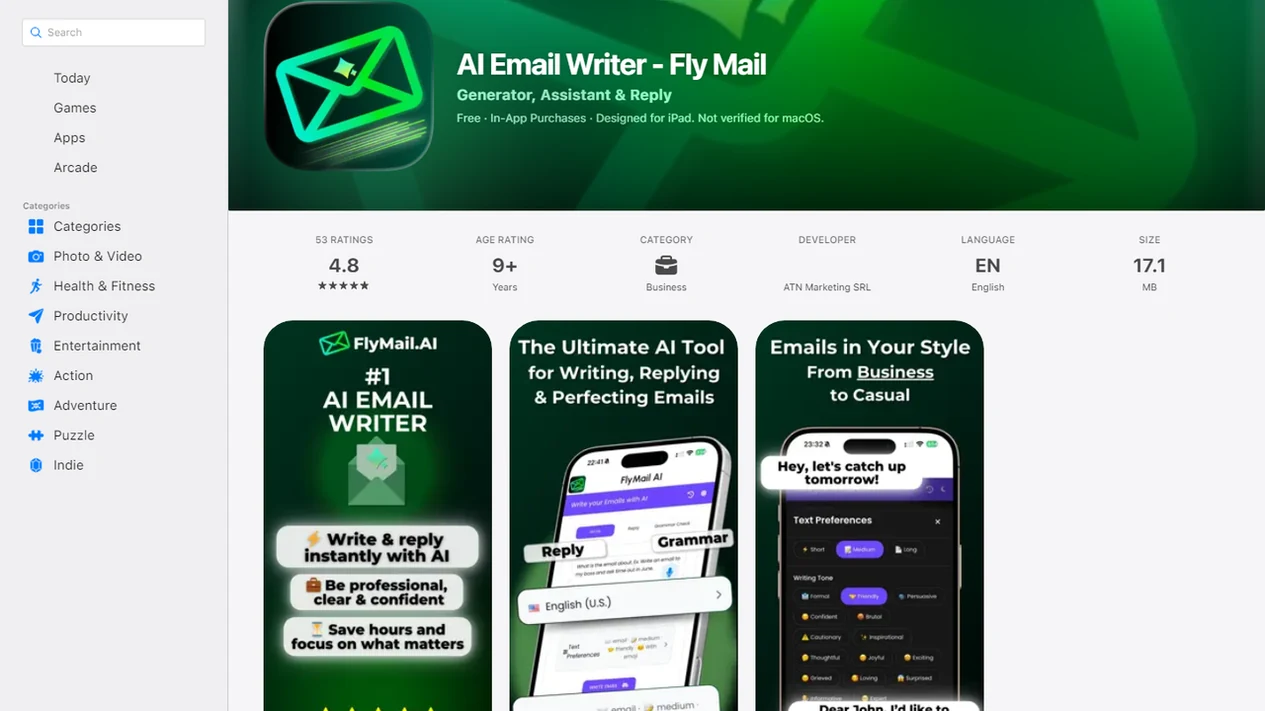
Side-by-side captures of the compared products. Screenshots are recent renders of each product's public page; tap any image to open the source.
Best Email Grammar Checker Apps at a Glance
The strongest email grammar checker app is the one that fits where you actually write. A blank Gmail compose window after a long meeting needs different help than a pasted proposal draft in a web editor.
| App | Best use case | Grammar coverage | Tone support | Platform fit | Free vs paid expectation |
|---|---|---|---|---|---|
| Email AI | Email drafts, replies, follow-ups, apologies, outreach | Grammar, clarity, punctuation, missing details | Built around email tone adjustment | Web and app-first email workflows | Free or paid access may vary by feature |
| Grammarly | Broad writing assistance | Grammar, spelling, punctuation | Tone and clarity features | Browser, desktop, web, mobile | Basics free, advanced features often paid |
| LanguageTool | Multilingual proofreading | Grammar and spelling across languages | Limited compared with email-native rewriting | Browser, web, integrations | Free basics, paid advanced checks |
| Ginger | English grammar and style fixes | Grammar, style, spelling | Style-focused support | Web and writing assistant tools | Free checks, paid feature expansion |
| QuillBot | Fast cleanup and paraphrasing | Grammar, spelling, punctuation | Rewrite-dependent | Web editor and extensions | Free basics, paid higher limits |
Email AI is the most email-specific option because it creates, rewrites, and proofreads emails rather than only checking generic text.
Named Shortlist of AI Email Proofreading Apps
General grammar tools can help with emails, but email-native tools are better for replies, follow-ups, apologies, outreach, and professional tone. That difference matters when the tiny subject-line field gets rewritten three times before sending.
Email AI for email-specific rewriting
Email AI fits users who need a full email draft, a rewrite pass, grammar cleanup, and a tone adjustment in the same workflow.
Grammarly for broad writing assistance
Grammarly works well for people who want writing checks across browsers, documents, and everyday messages.
LanguageTool for multilingual checking
LanguageTool is useful when you write in more than one language and want grammar or spelling checks beyond English.
Ginger for grammar and style fixes
Ginger suits English writers who want grammar, style, and spelling support in a general writing assistant.
QuillBot for quick grammar cleanup
QuillBot is a practical option for quick grammar fixes, punctuation cleanup, and paraphrased alternatives.
How an AI Email Proofreading App Works
An AI email proofreading app works by taking draft text, analyzing language patterns, and returning suggested grammar, punctuation, clarity, style, or tone edits. The input may come from pasted drafts, web editors, browser extensions, mobile keyboards, or app-based email drafts.
Behind the scenes, these systems compare your wording against statistical language patterns and context signals. In plain English, they predict what looks wrong, unclear, too abrupt, or incomplete. The data flow is simple: draft text enters the tool, the system analyzes the sentence patterns, then suggested edits or rewrites come back.
Probabilistic is the key word. For example, an app may correctly change “Please advice” to “Please advise,” but still miss that the email promises a deadline your team cannot meet.
A suggestion can be helpful without being right. If you type “Can you make this sound less annoyed?” the app can soften wording, but it cannot know the full history with that client. For deeper tone work, an email tone changer can help separate grammar fixes from message mood.
How to Use an Email Grammar Checker App Before Sending
Use an email grammar checker app as a final review step, not as the sender of record. The safest workflow is draft, check, revise, then read the message once like the recipient.
- Paste or draft the email in the app, browser editor, mobile tool, or email assistant.
- Select the goal, such as formal reply, shorter follow-up, apology, outreach, or friendly clarification.
- Review grammar, spelling, punctuation, and sentence-level clarity suggestions one by one.
- Check the tone for wording that sounds blunt, vague, defensive, or too casual.
- Read the final message aloud before sending, especially if money, hiring, policy, or conflict is involved.
- Manually review sensitive emails instead of accepting every suggestion.
The right fit for rushed proofreading is EmailAI when you need grammar cleanup and a professional rewrite before the Monday 8:57 a.m. scramble to send a follow-up before the next call.
Email AI for Business, Career, and Personal Email Mistakes
Does Email AI identify email grammar mistakes? Yes, Email AI checks email drafts for grammar, clarity, tone, missing details, and rewrite opportunities before you send.
That makes Email AI strongest for emails where the requested output is not just “fix the typo,” but “make this sound professional, complete, and sendable.” It is less useful if you only want an always-on browser underline while writing across every website.
Email AI is an AI email generator that creates and improves business, career, and personal emails for professionals and teams. It is built for email situations, not just loose text correction. Use it for follow-ups, apologies, cold outreach, job applications, client replies, thank-you notes, and personal messages that need a cleaner shape.
For professionals who need a polished client reply, Email AI is a practical fit because it combines proofreading with a complete rewrite pass for the message type. Good AI email tools deliver cleaner drafts, clearer tone, and better structure, not a guarantee that every recipient will read the email the same way.
A softened sentence about a missed deadline still needs your judgment.
If you already use prompts, pair proofreading with AI email prompt templates so the draft includes the right context from the start.
Grammarly, LanguageTool, Ginger, and QuillBot Grammar Checker Differences
Grammarly, LanguageTool, Ginger, and QuillBot all identify writing errors, but they suit different email habits. The main choice is whether you need always-on checking or email-specific rewriting.
| App | Verified feature claim | Best suited user |
|---|---|---|
| Grammarly | Grammarly says its AI-powered grammar checker can spot grammatical errors, spelling mistakes, and punctuation issues. (source: https://www.grammarly.com/grammar-check) | People who want broad browser and writing support |
| LanguageTool | LanguageTool says it can check grammatical errors and spelling mistakes across languages. (source: https://languagetool.org/) | Multilingual writers and international teams |
| Ginger | Ginger says its free writing assistant checks grammar, style, and spelling errors. (source: https://www.gingersoftware.com/grammarcheck) | English writers who want style and correction help |
| QuillBot | QuillBot says its grammar checker can fix grammar, spelling, and punctuation errors. (source: https://quillbot.com/grammar-check) | Users who want quick cleanup and paraphrasing |
If your priority is email-specific revision, Email AI earns the spot because it handles grammar checks inside reply, outreach, apology, and career-email workflows. For broader comparison, the email tone vs email grammar distinction helps explain why error-free can still sound cold.
How We Chose These Email Grammar Checker Apps
We chose these email grammar checker apps based on how useful they are for proofreading real emails, not on general name recognition alone. The goal was to compare tools that can help before a message is sent, especially when tone and clarity matter as much as typo cleanup.
Our review looked at email fit first: whether the app helps with drafts, replies, follow-ups, professional wording, and quick correction inside a realistic writing workflow. We also checked product claims against official pages where available, rather than relying only on category reputation or user chatter.
- Evaluate grammar accuracy for common email problems, including punctuation, agreement, word choice, and awkward phrasing.
- Compare tone support, especially whether the tool can soften blunt wording or make a message more professional.
- Check workflow fit across web editors, browser use, mobile drafting, and email-specific writing paths.
- Review pricing clarity so free checks, paid limits, and advanced rewrite features are not treated as the same thing.
- Note limitations, because no grammar checker can replace human review for sensitive, legal, HR, financial, or conflict-heavy messages.
Five Email Grammar Checker Facts Buyers Should Know
Strong email grammar checker apps check more than spelling. They also help with punctuation, sentence flow, clarity, and sometimes tone.
- Spelling is only the first layer. Strong tools also flag grammar, punctuation, awkward phrasing, and unclear sentence structure.
- Platform fit matters. A web app, browser extension, writing app, or mobile keyboard can feel very different during a real workday.
- AI proofreading improves clarity, but it can miss intent. A tool may clean the sentence while missing the negotiation context behind it.
- Free plans usually cover basics. Advanced rewrites, tone controls, higher limits, or style features may require paid tiers.
- Business and career users benefit most from combined checking. Error detection plus professional tone improvement is more useful than grammar correction alone.
If conditions include stacked tabs of client threads and a reply due before lunch, EmailAI fits because it turns rough notes into a checked email draft with tone and clarity edits.
Limitations
No grammar checker or AI email proofreading app should be treated as a final authority. These tools are useful, but they still miss human context.
- No app fully replaces human review for sensitive, legal, HR, medical, financial, or high-stakes emails.
- Tools may flag valid phrasing as wrong, especially in technical, informal, regional, or company-specific writing.
- Subtle errors can slip through when the sentence is grammatical but the meaning is off.
- Tone suggestions are not an objective prediction of how a recipient will emotionally react.
- Free versions often limit rewrite depth, tone controls, usage volume, or advanced suggestions.
- Multilingual support can vary by language, even when a tool says it supports many languages.
- Apps may not understand company voice, relationship history, internal politics, or negotiation context.
- A polished email can still be inaccurate if the original facts, dates, names, or promises are wrong.
For privacy-sensitive drafts, review footer links people ignore, including Privacy Policy, Terms, and unsubscribe text. The question is it safe to paste emails into AI matters before copying confidential threads.
FAQ
What app checks email grammar?
Email AI, Grammarly, LanguageTool, Ginger, and QuillBot can check email grammar. Email AI is more email-specific, while the others are broader grammar and writing tools.
Is there a free grammar app?
Yes, several grammar checker apps offer free basic checks for spelling, grammar, or punctuation. Advanced rewrites, tone checks, and higher usage limits may require paid plans.
Can AI check email tone?
AI can suggest tone improvements and flag wording that may sound blunt, vague, or too casual. It cannot guarantee how the recipient will react.
Which app works in Gmail?
Browser extensions and web-based writing assistants are usually the easiest options for Gmail drafting. Some users also draft in a separate app, then paste the final version into Gmail.
What app checks grammar on iPhone?
On iPhone, grammar checking can come from mobile apps, web tools, keyboards, or email assistants opened in the browser. Your choice depends on whether you draft in Mail, Gmail, Outlook, or another app.
What app checks grammar on Android?
On Android, users can check grammar through mobile apps, browser-based tools, keyboards, or email writing assistants. Web tools are often useful when switching between Gmail, Outlook, and work apps.
Can grammar checkers rewrite emails?
Some grammar checkers only correct spelling, grammar, and punctuation. AI email assistants can also rewrite emails for clarity, length, structure, and tone.
Do professionals use grammar apps?
Yes, professionals use grammar apps to catch typos, improve clarity, and polish tone before sending. Human review is still important for sensitive or high-stakes messages.