
What Happens When You Use AI for Email Writing?
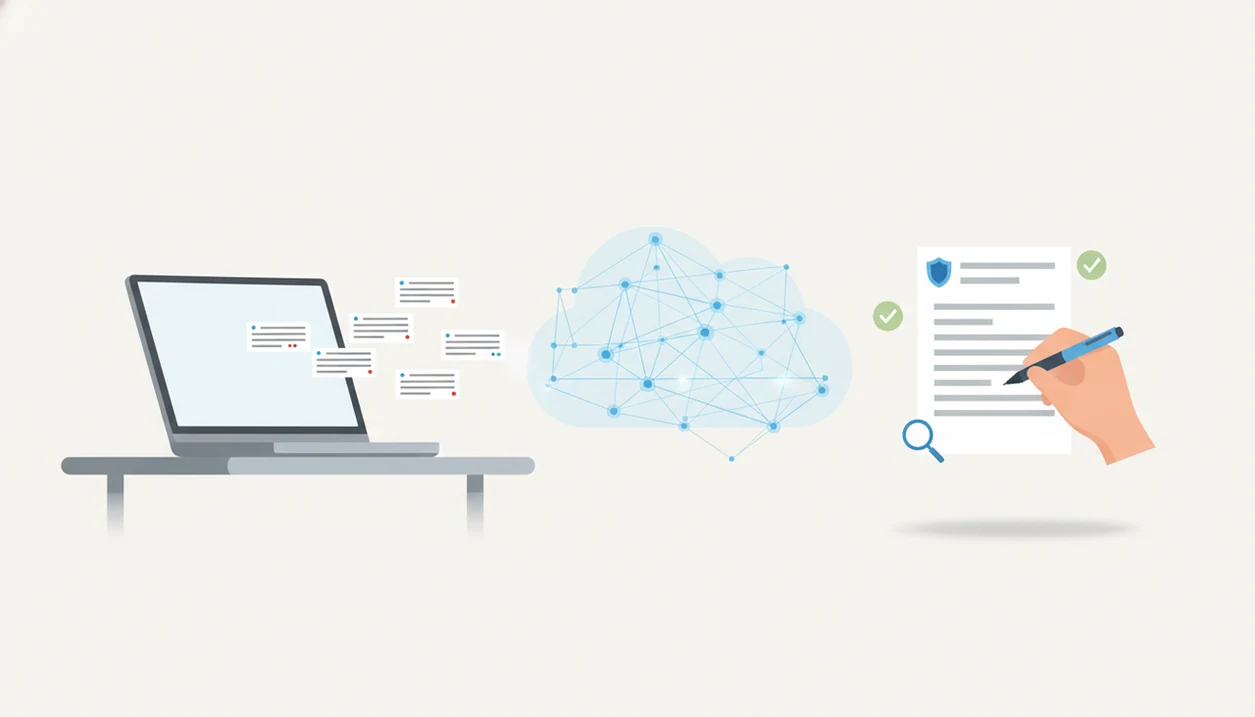
When you use AI for email, your prompt is turned into a draft by a language model, then you review the wording, facts, tone, and privacy risks before sending. The practical answer to what happens when you use AI for email is that AI speeds up drafting, rewriting, and proofreading, but it does not remove the need for human judgment.
AI email writing is the process of using a language model to generate, rewrite, shorten, proofread, or adjust an email draft from instructions, source text, or a received message.
TL;DR
- AI email tools convert your prompt, notes, or received email into a draft based on predicted wording patterns.
- The safest workflow is prompt, generate, revise, fact-check, personalize, and then send manually.
- AI can save time on routine emails, but it can also create factual errors, generic phrasing, tone problems, and privacy risks.
| Need | Best option |
|---|---|
| Prompt input | Uses your goal, context, recipient, tone, and details to understand the requested email. |
| Draft generation | Creates a structured email with a subject line, opening, body, and closing based on likely language patterns. |
| Tone and style editing | Can make the message more concise, polite, professional, friendly, persuasive, or direct. |
| Final send decision | Provides a suggested final version, but does not know every real-world consequence of sending it. |
AI email writing process at a glance
The AI email writing process usually moves from prompt, to AI draft, to human review. You provide the goal, recipient, tone, length, key facts, and sometimes the email you’re replying to.
A typical prompt might include “reply to my manager,” “keep it brief,” or “make this sound less annoyed.” The tool then produces a draft, subject line, rewrite pass, shorter version, or proofreading suggestions. The blank Gmail compose window with the cursor blinking after a long meeting is exactly where this workflow tends to feel useful.
Routine workplace writing is one common use case. For context, Pew Research Center reported that AI exposure is especially high in information-heavy jobs (https://www.pewresearch.org/short-reads/2023/07/26/which-us-workers-are-more-exposed-to-ai-on-their-jobs/), and McKinsey identified written communication as one of the work activities most affected by generative AI (https://www.mckinsey.com/capabilities/mckinsey-digital/our-insights/the-economic-potential-of-generative-ai-the-next-productivity-frontier).
Five facts about AI email drafting
- Fact 1: AI email drafting starts with a prompt or pasted message. The prompt gives the model its instructions, such as audience, purpose, tone, and key points.
- Fact 2: The model predicts likely words, not the full human situation. It can write a plausible apology, but it does not know the whole meeting history unless you add it.
- Fact 3: The first output is a draft, not a final message. Treat the first version like a junior rewrite pass, especially for business or career email.
- Fact 4: Users must check facts, tone, privacy, and recipient context. Names, dates, numbers, links, promises, and attachments need a real review.
- Fact 5: AI works best as a drafting and editing assistant, not an unattended sending system. For most professional messages, manual approval is the safety step that matters.
The tiny subject-line field still gets rewritten three times.
Large language models behind AI email drafts
AI writes emails by using large language models trained on large text datasets to predict likely wording from your instructions. In plain terms, the model looks at your prompt and generates text that statistically fits the request.
This is often called next-token prediction. A “token” can be a word or part of a word. If you ask for a concise customer apology, the model uses your prompt, the context window, tone instructions, and any examples you provide to shape the output. It can imitate structure, politeness, and common email patterns.
How AI writes emails is not the same as knowing your private facts. The model may not know your company policy, the recipient’s patience level, the last Slack exchange, or why a highlighted sentence sounds too sharp. That missing context is where review matters.
Before You Use AI for Email
Before you use AI for email, decide what kind of message you are handling and what information is safe to include. A quick preparation pass prevents the tool from guessing, oversharing, or polishing the wrong intent.
- Classify the email first. Decide whether it is routine, sensitive, urgent, or high-stakes. A lunch reschedule and a client escalation should not get the same level of AI help.
- Gather the fixed details. Collect names, dates, deadlines, attachments, links, meeting times, prices, and any facts that must not change. These are the guardrails for the draft.
- Remove sensitive material before pasting. Strip out confidential customer data, HR issues, legal language, medical details, financial information, account numbers, and private thread history unless your approved tool and policy allow it.
- Check your workplace rules. Some teams restrict third-party AI tools, require approved accounts, or prohibit customer and employee data in prompts.
- Choose the task you need. Ask for a fresh draft, a rewrite, a summary, a shorter version, or a tone change instead of giving the model a vague “fix this” request.
Six-step workflow for safe AI email writing
Use AI for email in a controlled drafting workflow, not as a one-click sending shortcut. The safest pattern is to give clear instructions, revise the draft, and approve the final message yourself.
- Set the email goal, recipient, and outcome. Say whether you need approval, a meeting, a reply, a payment, or a softer refusal.
- Add key facts, constraints, dates, and preferred tone. Include deadlines, names, limits, and whether the message should sound formal, warm, direct, or apologetic.
- Generate a draft and request revisions. Ask for a shorter version, warmer tone, clearer subject line, or a less defensive rewrite if needed.
- Review facts, names, promises, attachments, and sensitive details. Check anything that could create confusion or commitment.
- Personalize the opening, closing, and relationship context. Add the line only you would write.
- Send manually after human approval. This is especially important for career, client, HR, legal, or business messages.
For professional senders, manual review is usually safer than automated sending because email mistakes travel quickly and are hard to retract.
Prompt details that change an AI email draft
“What details should I give AI before it writes an email?” Give the email type, recipient relationship, desired outcome, tone, length, call to action, and deadline.
Better prompts produce more relevant drafts because the model has fewer gaps to guess around. “Write a follow-up” is weak. “Write a polite follow-up to a hiring manager after Tuesday’s interview, thank them, restate interest, and ask about next steps in under 120 words” is stronger.
Email type also matters. A new message, reply, follow-up, apology, sales note, job message, and support response all need different pressure levels. A shipment update written between orders should not sound like a cold outreach note. A complaint reply may need an empathy line before the solution.
If you want reusable starting points, AI email prompt templates can reduce trial-and-error. Better prompt quality usually means fewer revisions and fewer risky assumptions.
AI-generated email draft review checklist
Review an AI-generated email draft the same way you would review a message written too quickly at 8:57 a.m. before the next call. The draft may sound finished, but the sender is still responsible for what it says.
Check factual accuracy first: names, dates, numbers, links, prices, meeting times, titles, attachments, and any promises. Then check tone for warmth, professionalism, urgency, apology level, and cultural fit. A technically correct email can still sound cold.
Read one sentence aloud. Awkward parts show up fast.
The draft should sound like the sender, not like generic business filler. Replace vague lines with details the recipient recognizes. Also remove confidential, customer, legal, medical, HR, or financial information that does not belong in the tool or the final email. Sensitive messages need extra human review, and some should not be drafted in third-party AI tools at all. For privacy-heavy cases, the question is it safe to paste emails into AI deserves its own check before you paste.
Common Mistakes When Using AI for Email
The most common AI email mistakes happen when a polished draft gets treated like a finished message. Use the tool to move faster, but keep the final check human.
- Verify the hard details before sending. Check names, dates, times, prices, attachments, links, and any promise the draft makes. AI can turn “I’ll try” into “I’ll deliver by Friday” if you do not catch it.
- Give the model enough context to work with. Vague prompts like “make this better” invite generic wording or invented background. State the recipient, goal, constraints, and tone you actually need.
- Review privacy settings before pasting threads. Long email chains can contain customer data, HR details, contract terms, or personal information buried near the bottom. Do not paste first and think about policy later.
- Keep the human parts in relationship-heavy messages. For apologies, thank-yous, sensitive follow-ups, and manager notes, add the line that sounds like you.
- Match tone to the email type. An apology, sales note, and internal update should not share the same cheerful template. Adjust warmth, directness, urgency, and formality each time.
Four myths about AI email writing
- Myth 1: AI emails are automatically perfect and context-aware. The more accurate view is that AI creates a plausible draft from the information supplied, then the sender verifies it.
- Myth 2: AI tools can safely handle any confidential information. Privacy depends on the tool, account settings, workplace policy, and the data being pasted.
- Myth 3: All AI-written emails sound robotic and identical. Generic prompts often sound flat, but tone instructions, examples, and personal edits can improve the result.
- Myth 4: AI reliably understands office politics, legal nuance, and emotional subtext. It can suggest wording, but it may miss the hidden risk in a conflict-heavy thread.
Email AI fits best as a drafting and revision layer for business, career, and personal messages: it can produce a first draft, shorten a reply, soften a tense line, or clean up grammar, but the sender still owns the facts, tone, policy fit, and final approval.
For tone-specific repair, an email tone changer can help turn a sharp line into something more neutral.
Workplace email tasks where AI saves time
AI tends to save time on routine written communications: first drafts, replies, follow-ups, status updates, meeting notes, and polite nudges. It is especially useful for micro-tasks like subject lines, tone changes, shortening, simplifying, and proofreading.
Pew Research Center has tracked worker exposure and attitudes toward AI in information-heavy jobs (https://www.pewresearch.org/short-reads/2023/07/26/which-us-workers-are-more-exposed-to-ai-on-their-jobs/). McKinsey estimated that generative AI could automate activities taking up 60–70% of employees’ time, with written communication among the highlighted categories (https://www.mckinsey.com/capabilities/mckinsey-digital/our-insights/the-economic-potential-of-generative-ai-the-next-productivity-frontier). Those figures do not mean every email should be automated. They do explain why email is an early workplace use case.
Mobile use is part of the appeal. Commute train email triage, a quick client reply, or a short follow-up before lunch can be easier when the tool creates a draft you can edit on your phone.
Email AI is an AI email generator that creates and improves business, career, and personal emails for professionals and teams. Tools like Email AI, Grammarly, ChatGPT, and Lavender are most useful when they help draft, revise, and check, while the sender still controls the final message.
Limitations
AI email writing has real limits, and the risky ones often appear in messages that sound polished. Slow down when the email affects money, reputation, employment, customers, or legal obligations.
For higher-risk uses, the National Institute of Standards and Technology recommends treating AI outputs as systems that need testing, monitoring, and human oversight rather than automatic trust (https://www.nist.gov/itl/ai-risk-management-framework).
- AI can hallucinate facts, policies, names, numbers, or claims. A confident sentence is not proof.
- It may miss relationship history. The model does not know that last week’s “quick ask” annoyed the recipient.
- Emotional nuance can be wrong. An apology may sound too small, too dramatic, or oddly scripted.
- Confidential or regulated information can create privacy, security, or compliance risks. Read the footer links people ignore: Privacy Policy, Terms, and unsubscribe text.
- Specialized jargon and negotiations need expert review. Sales concessions, HR issues, legal matters, and medical details should not be guessed.
- Generic language can feel impersonal. The safest sentence may still sound insincere.
- Overreliance can weaken writing judgment. If every hard email gets outsourced, your own editing instincts may get dull.
For messages that sound too machine-written, make AI email sound natural is often a better goal than simply making it longer.
FAQ
How does AI write emails?
AI writes emails by using your prompt, pasted message, and language patterns from training data to generate a likely draft. It predicts suitable wording rather than fully understanding the situation.
Is AI email writing safe?
AI email writing can be safe for routine drafts if you avoid sensitive data and review the output before sending. Privacy, accuracy, and workplace policy still matter.
Can AI send emails automatically?
Some systems can be connected to automated sending workflows, but drafting assistance is safer for most business and career messages. Human review should happen before anything is sent.
Do AI emails sound robotic?
AI emails can sound robotic when the prompt is vague or the draft is sent unchanged. Tone instructions, specific details, and personalization usually make the message sound more natural.
Can AI write business emails?
AI can help write business email drafts, replies, follow-ups, summaries, and subject lines. The sender must still check facts, tone, commitments, and sensitive details.
Should I disclose that I used AI to write an email?
Disclosure depends on workplace policy, the relationship, and the sensitivity of the message. Some contexts require transparency, especially when AI use affects trust or decision-making.
Can AI summarize email replies?
AI can summarize received emails and draft suggested replies from the summary. You still need to check whether the summary missed context, deadlines, or emotional meaning.
Is it bad to use AI for email?
Using AI for email is not inherently bad. Blind reliance, privacy mistakes, and unreviewed drafts are the main risks.
Write safer, clearer emails with Email AI
Use Email AI to turn notes into polished drafts, rewrite tone, and improve business, career, and personal emails faster. Always review important messages for facts, tone, privacy, and sensitive work context before you send.
Download the AI email writer