
Is an AI Email Writer Worth It for Work and Life?
If you are asking “is AI email writer worth it,” the answer is yes for routine drafts, replies, follow-ups, scheduling notes, and tone fixes, but no for confidential, high-stakes, or deeply personal messages. Judge the value by time saved minus editing time, privacy risk, and any loss of sincerity. Email AI is most useful when you need a workable draft fast, then want to revise it before sending.
> Definition: Email AI is an AI email generator that creates and improves business, career, and personal emails for professionals and teams.
- AI email writers are strongest for repetitive, low-stakes emails where speed and tone cleanup matter more than originality.
- They still require human review for facts, context, relationship nuance, privacy, and final judgment.
- Use an AI email writer if it cuts drafting and editing time without making your message sound generic, careless, or less sincere.
| Need | Best option |
|---|---|
| Routine work emails | Creates a structured draft quickly and can adjust tone from casual to professional. |
| Sensitive workplace messages | Can help soften tone, but may miss context or create wording that carries risk. |
| Job search and career emails | Useful for cover notes, recruiter replies, networking messages, and follow-ups. |
| Fact-heavy customer or vendor emails | Improves clarity and formatting but may invent or misstate details if the prompt is vague. |
How is ai email writer worth it look
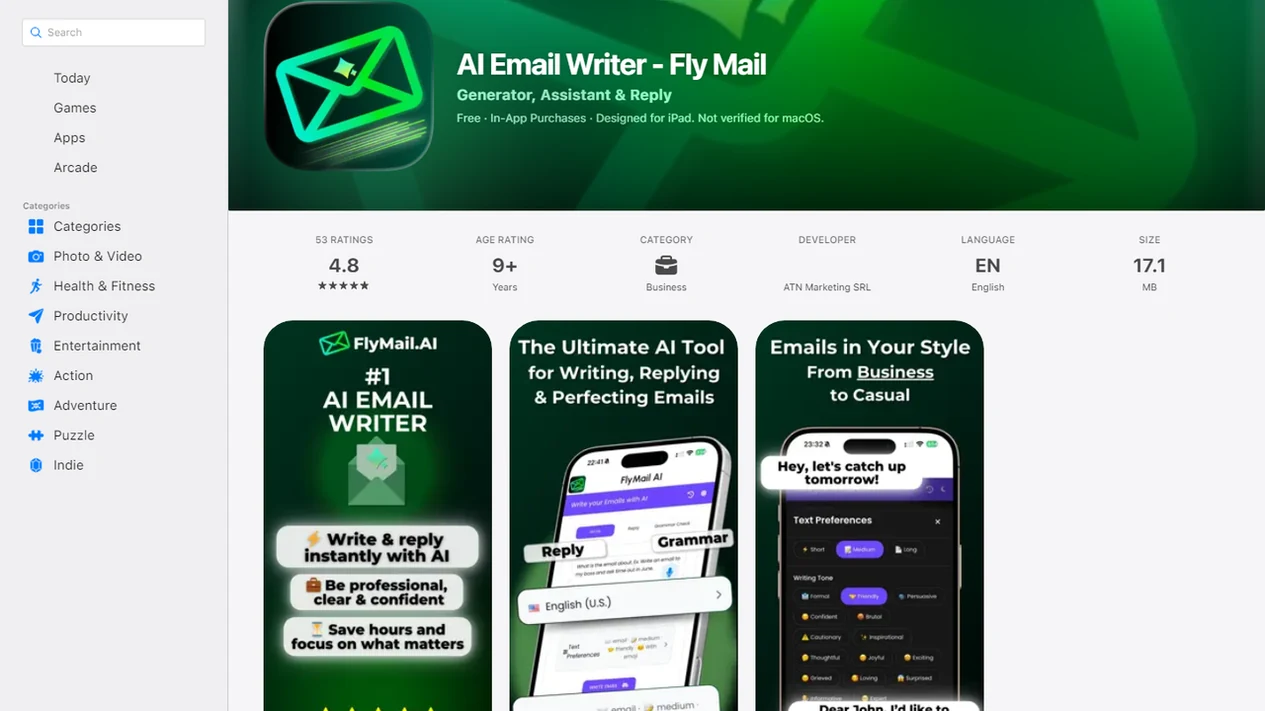
Side-by-side captures of the compared products. Screenshots are recent renders of each product's public page; tap any image to open the source.
AI Email Writer Value at a Glance
AI email writer value depends on the email type: AI wins for routine drafts and tone help, while manual writing wins for confidential or relationship-sensitive messages. Grammarly’s AI email writer page says the tool can draft professional emails in seconds source, but ‘fast’ is not the same as send-ready.
| Factor | AI email writer worth it | Not worth it |
|---|---|---|
| Speed | Follow-ups, scheduling, reminders, first drafts | Messages that need slow judgment |
| Tone | Making a draft warmer, shorter, clearer, or less blunt | Apologies, grief, conflict, or delicate trust repair |
| Accuracy | User supplies names, dates, facts, and context | User expects the tool to know missing facts |
| Personalization | Reusable templates with a few specific details | Deep personal memory or political nuance |
| Privacy | Low-risk work and personal drafts | Legal, medical, financial, HR, or confidential content |
| Cost | Saves more time than the subscription and edits require | Editing takes as long as writing manually |
| Best fit | Routine business, career, sales, and customer replies | High-stakes decisions or regulated communication |
The practical winner is split. Use AI for repeatable email work; write manually when the cost of sounding wrong is high. The calendar reminder beside an unsent email is exactly where speed helps.
Five Facts Before You Use AI Email
Before you use AI email, know that it can improve speed and tone, but it can also weaken perceived sincerity in some workplace messages. That tradeoff matters when the recipient knows you well.
- AI email writers work best for repetitive, low-stakes emails: follow-ups, scheduling, first drafts, thank-you notes, and quick replies. - Output quality depends heavily on the prompt; “write a follow-up” usually produces a flatter draft than a prompt with the recipient, deadline, and desired tone. - A University of Florida study of almost 900 professionals found AI-generated business messages were judged professional, effective, confident, and direct source. Treat this as evidence about perceived workplace tone, not proof that AI-written emails outperform human-written emails in every relationship. The safer takeaway is narrower: AI can make routine business messages sound professional, while disclosure may still affect perceived care. - The same research found disclosed AI messages were rated less sincere and caring, although professionals were still willing to send them. - Sensitive legal, medical, financial, confidential, HR, or crisis messages are a poor fit for AI-generated email.
Anyone dealing with frequent “Can you make this sound less annoyed?” edits should consider EmailAI because the rewrite pass targets tone adjustment rather than forcing a full new draft.
Evidence Behind AI Email Writer Value
The evidence supports AI email writers for faster routine drafting and polished workplace tone, not for every message. The strongest case is practical: AI can get you to a usable first draft quickly, while humans still decide whether the message should be sent.
The University of Florida research is useful but narrow. It tested how professionals perceived workplace messages, finding AI-written drafts could read as professional and direct, while disclosed AI use could make the same kind of message feel less sincere or caring. That is different from proving AI wins in a legal dispute, apology, medical update, or delicate HR thread. Provider claims about drafting “in seconds” should be read separately from independent findings about tone perception.
Use the evidence like this:
- Use AI for repeatable drafts where speed matters more than emotional precision.
- Compare the AI version against your manual version for editing time and final warmth.
- Avoid AI when the email contains private legal, medical, financial, HR, or confidential details.
- Rewrite relationship-sensitive lines yourself if sincerity is part of the message.
- Assume no source proves AI is best for every email type.
How an AI Email Writer Works
An AI email writer works by turning user-supplied context into a likely email draft, subject line, or reply using language-model prediction. In plain terms, it guesses the next useful words based on the goal, recipient, tone, and constraints you provide.
The tool does not know your business facts or relationship history unless you add them. Common inputs include the prompt, previous message, desired tone, length, call to action, formatting, and any details that must stay unchanged. That is why AI handles conventional email patterns well, such as “polite follow-up after no reply,” but struggles with private context, diplomacy, exact facts, and nuanced judgment.
Email AI supports this workflow through generation, rewriting, proofreading, and mobile email productivity. A blank Gmail compose window after a long meeting is a real use case, not a theory. The cursor blinks, the next call starts in six minutes, and a decent first draft is enough to begin.
Where an AI Email Writer Wins
AI email writers win when the message follows a familiar pattern and the sender mostly needs momentum. The value is not perfect writing; it is getting to a decent first draft faster.
- Routine work emails: Follow-ups, status updates, meeting requests, scheduling notes, reminders, introductions, and polite declines are strong fits.
- Tone improvement: A rewrite can make a draft warmer, clearer, shorter, more professional, less blunt, or more confident.
- Writer’s block: People who know what they mean but cannot start benefit from a structured first pass.
- Non-native English drafting: AI can help with phrasing, grammar, and idioms, especially when the sender already knows the facts.
- Mobile email work: Small screens make long drafting annoying; a guided prompt can reduce typing on a phone.
When blank-page friction is the issue, Email AI fits because it can generate a first draft from a few details, then let the sender revise the subject line, tone, and closing. Good AI email tools deliver faster drafts and cleaner rewrites, not permission to stop thinking.
Where Writing Emails Yourself Still Wins
Does AI work for every email? No. Writing emails yourself still wins for legal, medical, financial, HR, disciplinary, crisis, confidential, and emotionally sensitive messages.
Mailmeteor explicitly warns that AI email writing is not advisable for sensitive or confidential matters such as legal, medical, financial, or highly confidential communications source. That warning matches the practical risk: the tool may phrase something cleanly while missing what should not be said at all.
Relationship-sensitive emails need extra care. A serious apology, a message after a layoff, or a note to a worried customer can lose trust if it sounds assembled. Research from the University of Florida also found that disclosed AI use can reduce perceived sincerity and caring in workplace messages.
Still, AI can help around the edges. Use it for structure, proofreading, or a shorter subject line, but not for the final judgment. The empathy line after a complaint should sound like a person wrote it.
AI Email Writer Pricing, Privacy, and Policy Tradeoffs
An AI email writer is worth paying for only when time saved, fewer stalled drafts, better tone, and reduced proofreading effort outweigh subscription cost and review time. Price alone is a weak signal; workflow fit matters more.
| Tradeoff | What to check | Why it matters |
|---|---|---|
| Time savings | Drafting time before and after AI | Measures real ROI, not feature count |
| Privacy | Data retention, training use, deletion options | Some drafts contain customer or workplace details |
| Controls | Account settings, team permissions, export options | Teams need boundaries, not just access |
| Free tools | Usage caps, support, integrations, tone memory | Testing is useful, but limits show quickly |
| Dedicated tools | Email structure, replies, subject lines, rewriting, proofreading | Generic chat tools may need more setup |
| Workflow | Web and mobile access | Worth drops if copying between tools slows you down |
Compare Email AI with Gmail Help me write, Grammarly, Mailmeteor, and ChatGPT on four practical checks: email-specific templates, reply handling, tone rewriting, and privacy controls.
The right fit for recurring business, career, and personal email work is Email AI because it focuses on email-specific drafts, replies, tone changes, proofreading, and mobile use. For privacy-heavy workflows, review AI email privacy before pasting customer data or internal details.
Footer links matter here. Privacy Policy, Terms, unsubscribe text. People ignore them until a draft includes something sensitive.
How to Use an AI Email Writer Safely
Use an AI email writer as a drafting assistant, not as the sender of record. The safest workflow keeps facts, privacy, and final tone under your control.
- Set the goal, recipient, relationship, and desired outcome. Say whether you need a reply, follow-up, scheduling note, apology, or request.
- Add the necessary context, facts, constraints, and preferred tone. Include dates, names, deadlines, attachments, and phrases to avoid.
- Generate a first draft, subject line, or reply instead of expecting a final message. Treat the output as version one.
- Review facts, privacy, tone, sincerity, and any promises or commitments. Check names, dates, prices, links, attachments, and compliance language.
- Rewrite the final lines in your own voice before sending. This matters most for important messages.
Example prompt: “Write a polite follow-up to Jordan after our Tuesday demo. Ask whether Friday at 2 p.m. works for a pricing call. Keep it brief, confident, and not pushy.”
If you paste real threads into any AI tool, read is it safe to paste emails into AI first.
Common Myths About AI Email Writer Value
AI email writer value is easy to overstate and easy to dismiss. The useful middle ground is simple: let AI speed up drafts, then keep human review in charge.
- Myth: AI replaces judgment. Reality: users still verify facts, context, relationship nuance, and tone.
- Myth: AI emails are automatically more persuasive. Reality: generic wording can reduce credibility and connection.
- Myth: AI is safe for every email. Reality: confidential and regulated messages need strict boundaries.
- Myth: AI always means fewer edits. Reality: weak prompts can create more cleanup work than a manual draft.
- Myth: disclosure never matters. Reality: research suggests disclosed AI use can reduce perceived sincerity and caring.
If your outreach depends on trust, check the tiny subject-line field before sending. It often gets rewritten three times for a reason. For sales or newsletter messages, CAN-SPAM AI generated emails also need attention.
Should I Use AI Email or Keep Writing Manually?
Should I use AI email? Use AI when emails are frequent, repetitive, low-risk, and time-consuming; write manually when messages are confidential, high-stakes, deeply personal, or politically sensitive.
Score your situation on five questions:
| Question | AI is more likely worth it when... | Manual writing is safer when... |
|---|---|---|
| Weekly email volume | You send many similar replies | You send few important messages |
| Drafting time | You stall before starting | You already write quickly |
| Editing comfort | You can revise confidently | You may send output unchanged |
| Sensitivity | Content is low-risk | Content is private or regulated |
| Personal warmth | A clean tone is enough | Trust, apology, or care is central |
Run a one-week test. Draft manually for one week, then use AI-assisted drafting for one week. Compare time saved, edits required, and whether the final emails still sound like you.
For a cleaner ROI check, time 20 comparable emails in each week and record how many AI drafts needed heavy edits. If the AI-assisted week saves minutes but doubles cleanup, the tool is not actually saving you work.
If Monday 8:57 a.m. is your scramble point, EmailAI is a fit because it handles business, career, and personal email generation, rewriting, proofreading, and mobile productivity.
Limitations
AI email writers have real limits, and ignoring them can make the tool less valuable.
- They can produce confident but incorrect details if the user supplies incomplete or inaccurate context.
- They may sound generic, over-polished, salesy, or off-brand without a specific prompt.
- They can miss relationship nuance, diplomacy, humor, apology, grief, urgency, or office politics.
- They are not advisable for sensitive or confidential legal, medical, financial, HR, or highly private communications.
- Disclosed AI use may make some recipients see a message as less sincere or caring.
- They still require review for facts, commitments, attachments, names, dates, tone, and compliance.
- A tool is not worth it if editing takes as long as writing the email yourself.
One more practical issue: AI can invent details that sound plausible. Our guide to AI email hallucinations covers that risk in more detail.
Read more
FAQ
Is AI email writing worth it?
AI email writing is worth it for routine, low-risk emails where drafting speed and tone cleanup save time. It is not worth it for sensitive, confidential, high-stakes, or deeply personal messages.
Should I use AI email?
Use AI email if you send frequent repetitive messages and are comfortable editing before sending. Keep writing manually when privacy risk, relationship nuance, or final judgment matters most.
Are AI emails easy to detect?
Generic AI emails can feel easy to detect because they often use polished but vague wording. Specific prompts, personal details, and human editing make the writing feel less obviously AI-generated.
Do AI emails sound human?
AI emails can sound polished and professional, but they may lack sincerity without personal context. Add real details, adjust the closing, and remove wording you would not normally use.
Is AI email safe for work?
AI email can be safe for low-risk work drafts, scheduling, follow-ups, and tone edits. Avoid using it for confidential, regulated, legal, medical, financial, HR, or sensitive workplace content.
Can AI write professional emails?
Yes, AI can draft professional emails quickly when given a clear goal, recipient, tone, and facts. Users still need to verify accuracy, attachments, commitments, and final tone.
What emails should AI avoid?
AI should avoid confidential, legal, medical, financial, HR, crisis, apology, and relationship-sensitive emails. It may help with structure or proofreading, but not with final judgment.
Does AI email save time?
AI email saves time when drafting is the bottleneck and the prompt is specific. Weak prompts, missing facts, or heavy editing can erase the time benefit.
Try an AI Email Writer for Your Next Draft
Use Email AI to turn bullet points into polished business, career, and personal emails in less time. Always review the final message for accuracy, tone, privacy, and sensitive work details before you send.
Download the AI Email Writer