Free Email Reply Generator
Paste any email, choose your reply approach, and get a context-aware response drafted instantly.
What Is an Email Reply Generator
An email reply generator is a tool that analyzes a received email and produces a contextually appropriate response. The user pastes the original message, selects a desired reply approach such as professional, agreeable, or decline politely, and the tool generates a response that addresses the sender's points, questions, or requests.
Replying to email is a fundamentally different task than composing one from scratch, and most people underestimate just how different it is. When you compose, you control the frame. You decide what to include, what order to present it in, what tone to set. When you reply, someone else has set the frame and you are reacting within it. You have to acknowledge what they said, respond to what they asked, and manage the tone they established, all while steering toward your own objective. That is a more constrained and cognitively demanding problem than starting from a blank page.
This is exactly why a dedicated reply tool exists separately from a general email assistant. The reply generator is built around a specific input: someone else's email. It parses that input for questions, requests, deadlines, emotional tone, and implicit expectations. Then it constructs a response that maps onto those elements rather than generating something generic. The difference in output quality between a purpose-built reply tool and typing "reply to this email" into a chatbot is significant, particularly for complex or emotionally charged messages.
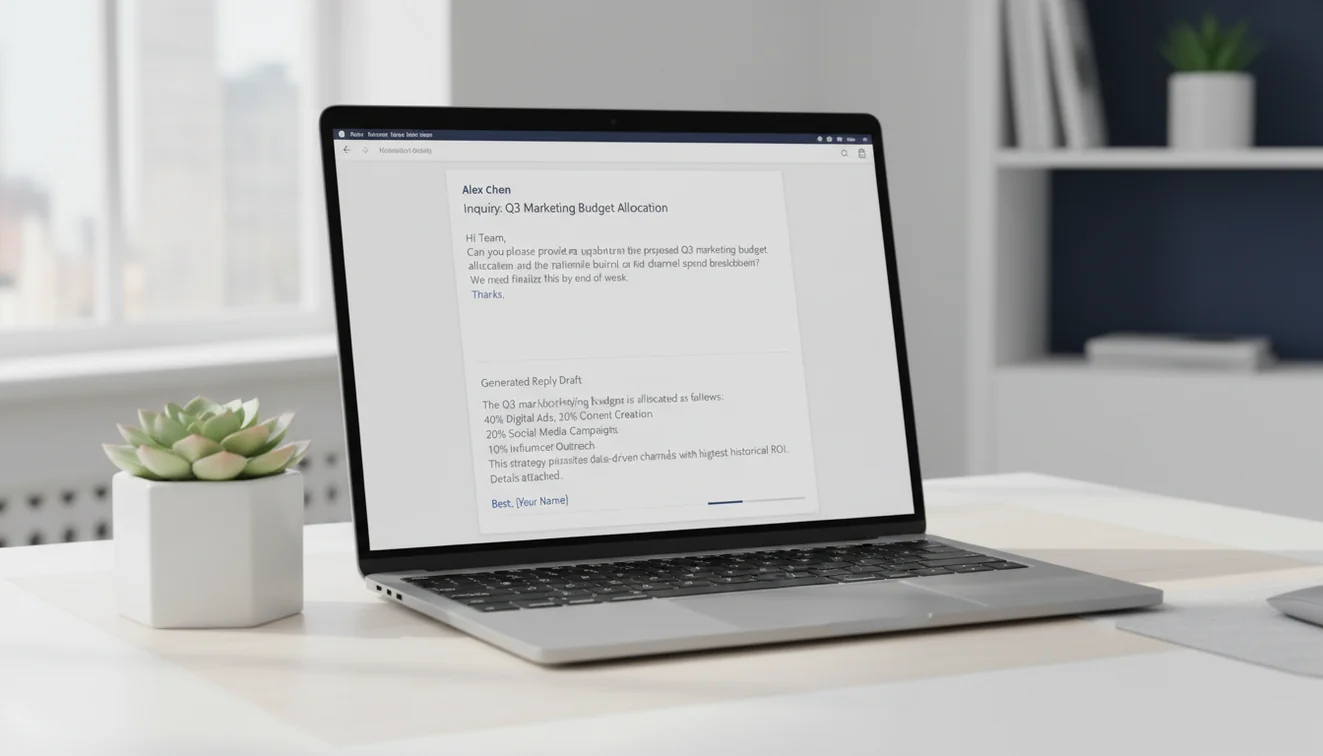
How the AI Parses Incoming Messages
The tool does not just read the pasted email left to right and produce a mirror response. It performs a lightweight structural analysis. What is the sender asking for? Is there a deadline mentioned? Are there multiple questions that each need addressing? What is the emotional register: neutral, frustrated, enthusiastic, formal? These signals inform how the reply is organized and what it prioritizes.
When someone sends an email with three distinct questions buried across four paragraphs, a hasty human reply often answers the first question and forgets the other two. The generator extracts all three and addresses them in sequence. That alone makes it valuable for emails from clients or managers who pack multiple requests into a single message, the kind of email that sits in your inbox for hours because it feels overwhelming to tackle.
Tone detection matters especially when the incoming email carries frustration. The model identifies negative sentiment and defaults to a measured, empathetic register in the response. It does not match hostility with hostility or apologize excessively. It produces the kind of steady, professional reply that de-escalates without conceding ground. Getting that balance right under pressure is something many people struggle with, and the few minutes you save by not agonizing over word choice often prevent a much longer conflict.
Choosing the Right Reply Approach
The five reply options are not just tonal variations. They change the structural logic of the response.
Professional produces a standard business reply. Direct, structured, no unnecessary warmth or coldness. This is your default for most workplace correspondence where the relationship is established and the content is routine.
Agreeable works when you want to affirm the sender's position. It opens with acknowledgment, confirms alignment, and moves to next steps. Useful for accepting proposals, confirming plans, or responding positively to feedback. The output avoids sounding sycophantic while still signaling cooperation.

Decline Politely is the option people need most and dread most. Saying no over email without damaging a relationship requires a specific structure: acknowledge the request, provide a brief honest reason, express an alternative or future willingness, and close warmly. The generator follows this pattern consistently. It does not over-explain or over-apologize, two common mistakes in human-written declines.
Request Info flips the dynamic. Instead of answering the sender's questions, it poses new ones. This is the right approach when the received email is vague, missing critical details, or assumes context you do not have. The generator produces a response that is specific about what information is needed and why, which gets you a useful reply instead of another round of ambiguity.
Escalate generates a reply appropriate for situations that require firmness or elevation. Late deliverables, unresolved issues, broken commitments. The tone is assertive without being hostile. It documents the situation, restates expectations, and identifies a clear next step with a deadline. Think of it as the email equivalent of moving from a conversation to a formal record.
Real Scenarios Where Reply Generation Saves Hours
Client emails expressing dissatisfaction are the most stressful messages in any inbox. You know you need to respond quickly, but you also know that a poorly worded reply can escalate the situation. The reply generator produces a response that acknowledges the concern, avoids defensive language, and proposes a concrete resolution path. I have seen people spend forty-five minutes drafting a response to an upset client. The generator produces an equivalent draft in seconds that requires maybe five minutes of personalization.
Declining meeting requests is another common pain point. You receive a calendar invite for a meeting you do not need to attend, but the sender is senior or cross-functional and you do not want to seem dismissive. The decline option generates a reply that respects the invitation, explains your non-attendance briefly, and offers to review notes or contribute asynchronously. That email takes most people ten minutes of deliberation. The tool handles it in one pass.
Responding to vague or open-ended asks consumes more time than it should. When someone sends "Can you update me on the project?" without specifying which project, which aspect, or what format, you are stuck guessing what they actually want. The "Request Info" approach generates a reply that politely narrows the scope: "I am happy to provide an update. Could you clarify whether you are looking for a timeline status, a budget summary, or a deliverables review?" That moves the conversation forward instead of producing a sprawling response that may miss the mark.
Pairing Replies with Other Email Tools
The reply generator handles the response itself, but it pairs well with other tools for specific situations. Use the follow-up email generator when your initial reply does not get a response and you need to nudge. Use the professional email writer when your reply needs to include a new proposal, updated scope, or formal request that goes beyond responding to what was asked. The formal email generator helps when the reply needs to meet strict formatting standards for legal, academic, or governmental correspondence.
For high-volume customer service teams, the reply generator serves as a first-draft engine. Agents paste the customer inquiry, generate a baseline response, then personalize with account-specific details. This workflow cuts average response time while maintaining consistency across the team. It works because the email writing tools handle the structural and tonal heavy lifting, freeing agents to focus on the details that make each response feel personal.
Limitations and Safety
The reply generator does not have access to your email history, prior conversations with the sender, or any context beyond the text pasted into the input field. It produces a response based solely on the content of that single message. Important background, relationship dynamics, and ongoing negotiations are not reflected in the generated reply unless explicitly stated in the prompt.
AI-generated replies are not appropriate as final drafts for legal responses, HR-related communications, regulatory correspondence, or any message with potential legal consequences. These emails require review by professionals with relevant expertise and authority.
Replies to emotionally charged or interpersonally sensitive emails should be reviewed carefully for tone. The AI produces a neutral professional response that may not convey the appropriate level of empathy, firmness, or personal engagement that the situation requires. Read the generated reply from the recipient's perspective before sending.
EmailAI.me does not store the content of pasted emails or generated replies. All processing occurs in real time with no data retention. See the Privacy Policy for full details.
Email Reply Generator App
The Email Reply Generator tool is available as part of the Fly Email app for iOS and Android. The app includes all email writing, reply generation, and proofreading tools in a single download with no account required.
Fly Email provides the same AI email capabilities available on EmailAI.me. Users receive 10 free generations per day on the website, while the app offers extended access through optional subscription plans.