Email Writing Assistant App
All of Fly Email's AI email tools in your pocket. Compose, reply, follow up, and proofread emails from your phone.
What Is an Email Writing Assistant App
An email writing assistant app is mobile software that uses a language model to help users compose, edit, and improve emails on a smartphone or tablet. The user provides a text prompt describing the email's purpose and recipient, and the app generates a formatted draft with a subject line, greeting, body paragraphs, and closing. The app functions as a drafting tool. It does not send emails or access the user's inbox. Generated text is copied into any email client.
There is a specific workflow problem that mobile email apps solve, and it is not the one most people think. The issue is not that typing on a phone is slow (though it is). The issue is that composing a thoughtful email on a small screen while standing in a parking lot or sitting in a waiting room requires a kind of cognitive effort that the environment actively works against. Your attention is fragmented. Your screen real estate is limited. Your thumbs are doing work your fingers do better. The result is that most emails composed on phones are either shorter than they should be or rougher than they should be. An email writing assistant on mobile solves this by letting you describe what you need in plain language and getting a properly structured draft back in seconds.
I started using the Fly Email app specifically for the situations where I needed to send a proper email but was not anywhere near a laptop. An investor follow-up from an airport gate. A client apology while stuck in traffic (parked, obviously). A meeting confirmation during a lunch break. These are real scenarios where the choice without the app is either sending a half-baked two-line email from my phone or waiting until I get to a computer and risking the delay. The app removes that tradeoff entirely.
What the Fly Email App Includes
The app packages all 13 email tools available on EmailAI.me into a native mobile interface. That includes the AI email generator for composing new messages from scratch, the reply generator for crafting responses to received emails, the follow-up generator for nudging unanswered threads, the cold email generator for outreach, the subject line generator for testing options, and the email proofreader for catching errors before you hit send.
Each tool maintains the same structural logic as the web version. The cold email generator produces emails with hooks, value propositions, and calls to action. The formal email generator applies academic, legal, or government register. The reply generator reads the original email's content and tone to produce a contextually matched response. These are not generic prompt boxes with different labels. Each tool applies a different template architecture to the language model, which means the output varies structurally depending on which tool you use.
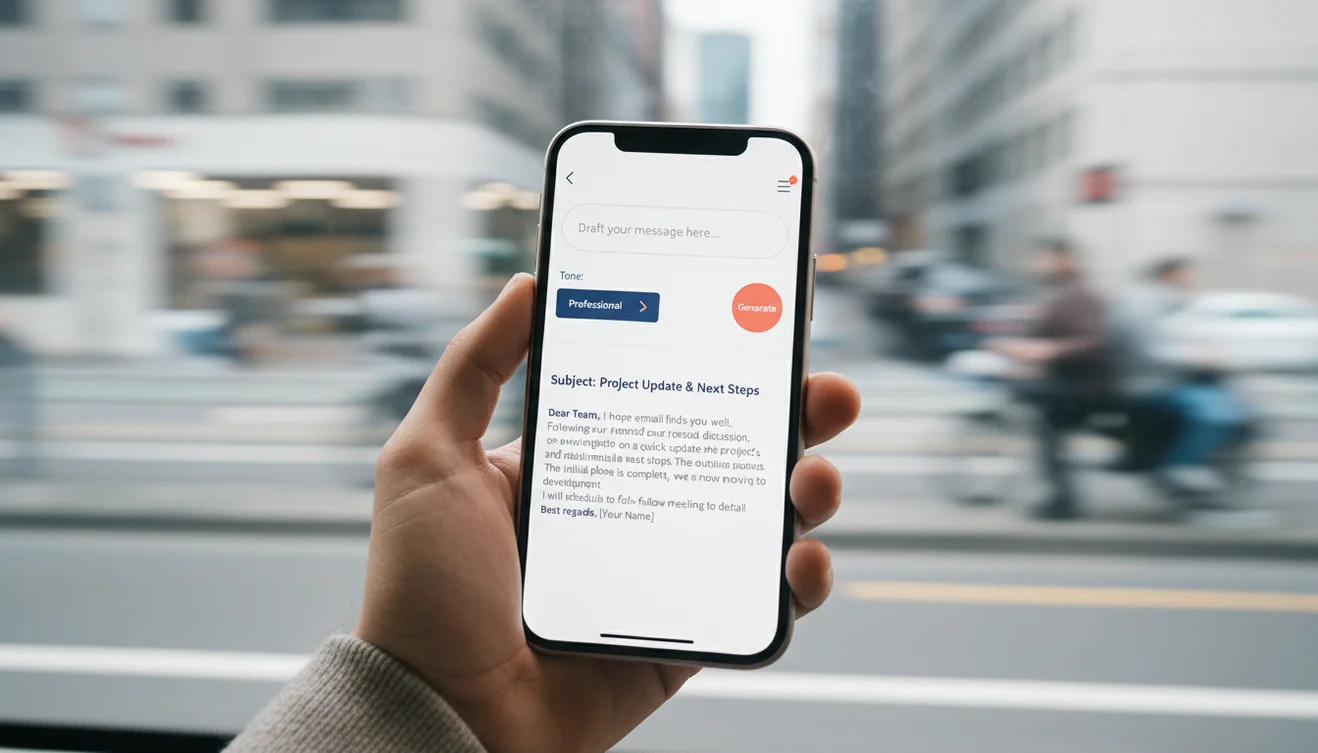
The mobile interface is streamlined compared to the web version. You select your tool, type or paste your prompt, choose any applicable options (tone, email type, recipient category), and tap Generate. The output appears below with a copy button. The entire flow takes about fifteen seconds from opening the app to having a complete email draft on your clipboard. That speed matters on mobile because the context in which you are using your phone usually involves time pressure.
When Mobile Email Writing Makes Sense
There is a common assumption that mobile tools are just worse versions of desktop tools. For general productivity work, that is often true. But for email specifically, mobile has legitimate advantages in certain contexts.
Immediate response windows. Some emails need to go out within minutes, not hours. A recruiter wants to schedule an interview. A client is asking about availability. A colleague needs sign-off before a meeting that starts in an hour. If you are away from your desk, the mobile app lets you generate and send a professional response immediately instead of sending a placeholder "I'll get back to you" or, worse, waiting until the window closes.
Travel and commute. I generate more emails during travel days than desk days. Airports, train stations, hotel lobbies. These are the environments where email queues build up and the laptop stays in the bag. Having a tool that produces sendable drafts from a one-line prompt means I can clear my email backlog during a layover instead of letting it pile up until I reach my destination.

Quick replies that need to sound polished. Some replies are simple enough that you know exactly what to say but the phrasing matters. A thank-you note after a meeting. A confirmation with specific details. An acknowledgment that needs to strike the right tone. Typing these manually on a phone often produces something that reads like it was typed on a phone. The app produces something that reads like it was composed at a desk.
Desktop Web Tool vs. Mobile App: The Workflow Difference
The web version at EmailAI.me and the mobile app serve different usage patterns, and understanding that distinction helps you get the most from both.
The web version is better for batch email work. When you sit down to draft five or six outbound emails in a session, the larger screen, full keyboard, and easier text editing make the desktop experience smoother. You can keep a browser tab open alongside your email client and move drafts across with minimal friction. For planned email sessions where you know in advance what you need to write, the web version is the more efficient choice.
The mobile app is better for reactive email work. When an email arrives that needs a prompt response, when you think of something you need to send while away from your desk, when you are between meetings and want to handle two quick items before the next one starts. The app lives on your home screen. One tap and you are composing. There is no browser to open, no URL to type, no login to complete. That reduction in friction is the entire value proposition of having a native app.
I use both daily. Morning email session at my desk: web version. Everything else throughout the day: the app. That split has worked consistently for over a year.
Who Benefits Most from the App
Sales professionals who send high volumes of outreach and follow-up emails benefit immediately. The cold email and follow-up generators are designed for exactly the kind of repetitive-but-needs-to-be-personalized communication that defines sales work. Being able to fire off a follow-up from your phone between prospect meetings saves time that compounds across a week of heavy outreach.
Managers and team leads who spend their days in meetings and need to handle email in the gaps between them. The reply generator is particularly useful here because you can paste the original email, get a response, customize it in thirty seconds, and send it before the next meeting starts.
Freelancers and consultants who are often mobile and need to maintain professional communication with multiple clients simultaneously. The professional email writer and business email generator produce client-appropriate output that does not read like a rushed phone email.
Non-native English speakers who need assistance with grammar, tone, and email conventions. The app provides structurally correct output in proper business English, which serves as both a writing tool and a learning resource.
Download Fly Email
The app is free to download on both platforms. All email writing tools are included in the download.
Free Tier vs. Subscription
I want to be straightforward about this because vague "freemium" descriptions annoy me as much as they annoy you. The web version at EmailAI.me provides 10 free email generations per day. No account. No credit card. You open the site, use the tools, and that is it. Ten generations covers a moderate email day for most individuals.
The app offers extended access through optional subscription plans. The subscription removes the daily generation cap and provides priority processing. Whether the subscription makes sense depends entirely on your volume. If you generate four or five emails a day, the free web tier handles it. If you generate fifteen or more, or if you rely on the app as your primary drafting tool throughout the day, the subscription pays for itself in time saved.
There is no degraded output quality between free and paid. The same language model processes both tiers. The difference is volume access, not output quality. I mention this because some tools quietly reduce output quality on free tiers, which is not the case here.
Limitations and Safety
The app requires an active internet connection for email generation. Text processing happens on remote servers, so offline generation is not available. The app interface loads without connectivity, but the core generation features depend on network access.
AI-generated emails should be reviewed before sending. The language model does not know the recipient, organizational communication norms, or the history of the conversation. It produces well-structured drafts that may need adjustment for tone, detail accuracy, or context-specific appropriateness.
The app does not access, read, or interact with your email inbox or contacts. It is a standalone text generation tool. Generated output is displayed in the app for the user to copy. No content is stored on servers or used for model training after processing completes.
For the full range of tools and a detailed look at each one, visit the Fly Email AI email writing platform on any browser.
Email Writing Assistant App
The Email Writing Assistant tool is available as part of the Fly Email app for iOS and Android. The app includes all email writing, reply generation, and proofreading tools in a single download with no account required.
Fly Email provides the same AI email capabilities available on EmailAI.me. Users receive 10 free generations per day on the website, while the app offers extended access through optional subscription plans.