Free Email Subject Line Generator
Describe your email or paste a draft, pick a tone, and get compelling subject line options in seconds.
What Is an Email Subject Line Generator
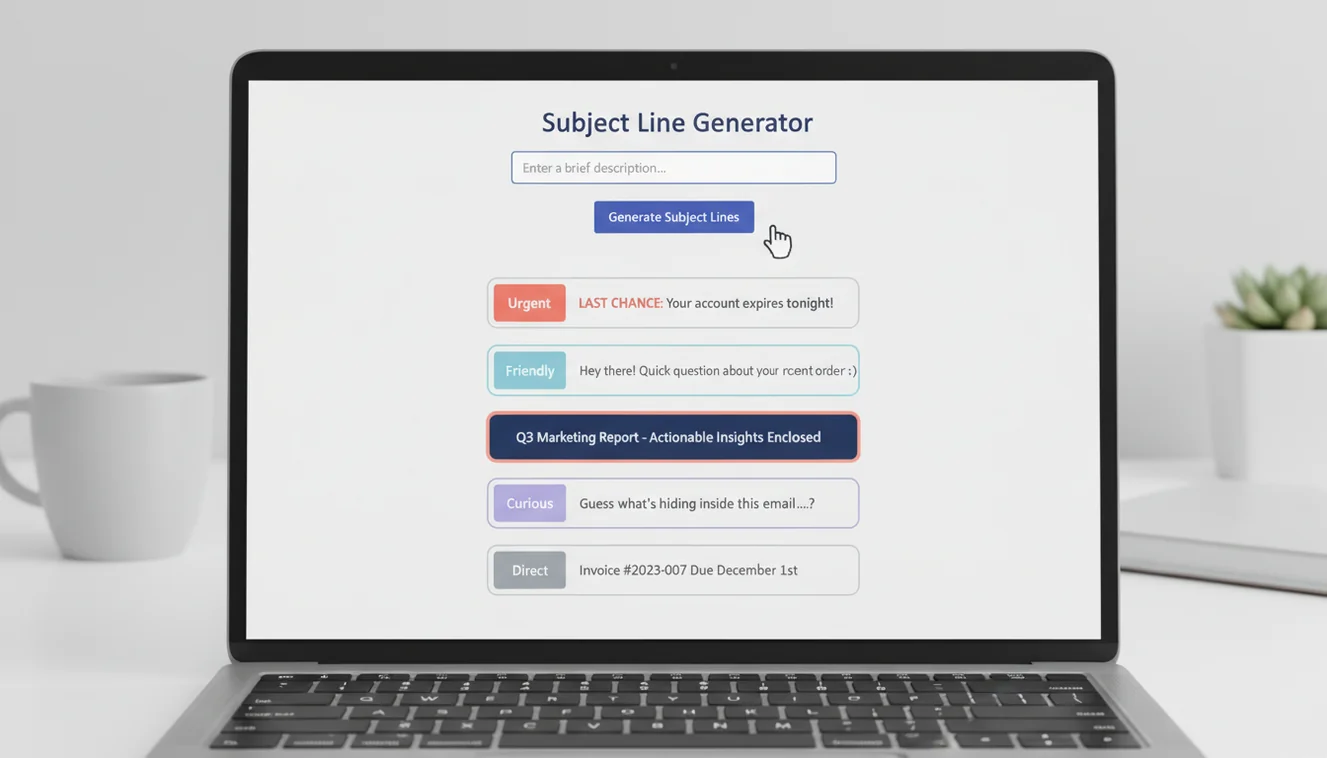
An email subject line generator is a tool that produces multiple subject line options based on the content and purpose of an email. The user provides a description of the email topic or pastes an existing draft, selects a tone preference, and the tool outputs a set of subject line variations. The tool does not send emails or access any inbox. It generates text for the user to evaluate and apply.
The subject line is the most underrated piece of any email. I have watched entire campaigns live or die on seven words that most people write as an afterthought. You can spend an hour crafting the perfect body copy, nail the call to action, get the formatting just right. None of it matters if the subject line does not earn the open. Your email sits in an inbox alongside 40, 80, sometimes 200 other messages, and the subject line is your only pitch for attention. It is a headline, a first impression, and a filter all compressed into a single line of text.
What surprises people is how little correlation there is between the quality of the email body and the quality of the subject line. I have seen beautifully written emails fail because the subject said "Quick Update" and I have seen average emails outperform because the subject said "Your Q3 numbers are 22% below target." The second one is specific. It creates an information gap. The reader needs to open the email to understand the context. That is the mechanic that drives open rates, not cleverness, not emojis, not capital letters. Specificity and relevance.
Character Length and the Mobile Problem
Desktop email clients typically display 60 to 80 characters of a subject line. Mobile clients show 25 to 35. That gap matters enormously because over 60% of emails are now opened on phones. If your subject line is 70 characters long, mobile users see only the first half. Whatever you crammed into the back half is invisible to the majority of your audience.
The sweet spot sits between 28 and 50 characters for most email types. That range survives intact on both desktop and mobile. Within that range, front-load the most important words. "Budget approval needed: Q4 marketing plan" works because even at 30 characters the recipient sees "Budget approval needed" and knows what to do. "Regarding the upcoming quarterly marketing budget that requires your approval" buries the action at the end where mobile devices cut it off.
Newsletter subject lines can push longer because subscribers have opted in and expect content. B2B cold outreach should stay shorter because the recipient has no relationship with you and will decide in half a second whether to open or archive. The Professional and Urgent tone options in this tool tend to produce tighter subject lines. The Newsletter option allows more room for curiosity-driven or content-preview formats.
B2B vs B2C Subject Line Strategies
B2B and B2C emails operate in fundamentally different inbox environments, and subject lines that work for one often fail for the other. B2B recipients are scanning for relevance to their role, their projects, their deadlines. A subject line like "Reduce onboarding time by 3 weeks" speaks directly to a pain point. It is functional, specific, and implies value without overselling. B2B subject lines work best when they reference a concrete outcome or a specific problem.
B2C operates on a different register entirely. Consumers respond to curiosity, exclusivity, and emotion. "Your fall wardrobe just got interesting" is vague by B2B standards but effective in B2C because it creates a gap the reader wants to close. Emojis, questions, and playful language can boost open rates in consumer email. Those same tactics in a B2B email to a procurement director would seem unprofessional.

The Catchy and Friendly options in this tool lean toward B2C patterns. Professional and Urgent lean B2B. Knowing which register fits your audience is the single most important decision when choosing a tone. A great subject line in the wrong register is worse than a mediocre one in the right register.
Spam Filter Triggers and Deliverability
Spam filters have gotten smarter, but they still flag predictable patterns. ALL CAPS subject lines, multiple exclamation marks, and certain trigger words ("free," "act now," "limited time," "guaranteed") increase the probability of landing in spam. These words alone will not always trigger a filter. Modern spam detection considers the full email, sender reputation, and engagement history. But stacking several of these signals in one subject line tilts the odds against you.
Less obvious triggers include excessive personalization tokens (using the recipient's name three times in one subject), misleading "RE:" or "FW:" prefixes on emails that are not replies or forwards, and subject lines that are wildly different from the email body content. Consistency between your subject line and your body text is a deliverability signal that many senders overlook.
I test every outreach subject line against these filters before sending a campaign. It takes less than a minute and saves the agony of discovering after the fact that 40% of your emails landed in spam. The Professional tone in this tool avoids spam trigger patterns by default. If you use the Urgent option, review the output for language that could trip filters, particularly phrases that imply artificial scarcity or pressure.
Writing Subject Lines That Pair with Strong Opens
A subject line is half the battle. The other half is the first sentence of the email body, which most clients display as a preview alongside the subject. Together, the subject and preview text form a two-line pitch. If the subject says "Q4 Budget Review" and the preview text says "Hi, I hope this email finds you well," you have wasted the preview on a pleasantry that adds zero information.
Plan your subject line and opening sentence as a unit. The subject creates the hook. The first sentence delivers the context. "Subject: Your renewal is expiring Friday / First line: Here is what changes if you do not act." That combination gives the reader everything they need to prioritize the email before they even open it fully. The AI email generator produces drafts with subject lines already paired to opening sentences, which eliminates the disconnect that happens when you write the subject last as a separate task.
For cold outreach emails, the subject line carries even more weight because the recipient has no relationship context. Personalization in the subject (their company name, a recent event, a specific metric) is the only signal that separates your email from mass outreach. Generic cold email subjects get ignored. Specific ones get opened.
Integrating Subject Line Generation into Your Workflow
The most effective approach is to generate subject lines after you have written or outlined the email body. The body contains the information the subject line needs to reference. Working in reverse (subject first, body second) often produces subject lines that sound good in isolation but do not align with the actual content of the message.
Use the business email generator or the follow-up email generator to draft the body, then paste that draft into this tool to generate subject line options. Pick the one that best represents the email's core ask or value, and edit from there. For campaigns, generate five to ten options and A/B test the top two.
The AI email writing tools on this site work well together when used sequentially: draft the body, generate the subject, then proofread the full message. That workflow produces complete, polished emails faster than trying to compose everything from scratch in one pass.
Limitations and Safety
AI-generated subject lines reflect patterns from training data and do not account for the specific relationship between sender and recipient. They do not consider prior email threads, internal naming conventions, or audience-specific preferences that might affect how a subject line is received.
Subject lines for emails involving legal notices, regulatory communications, or HR actions should be written or reviewed by qualified professionals. These contexts often have specific formatting or language requirements that a general-purpose AI tool does not enforce.
The tool does not verify that subject lines will pass specific spam filters. Deliverability depends on multiple factors including sender reputation, email content, recipient mail server configuration, and sending infrastructure. Subject line optimization is one component of deliverability, not the sole determinant.
EmailAI.me does not store or retain any content submitted through the subject line generator. All processing occurs in real time with no server-side data retention. See the Privacy Policy for complete information on data handling.
Email Subject Line Generator App
The Email Subject Line Generator tool is available as part of the Fly Email app for iOS and Android. The app includes all email writing, reply generation, and proofreading tools in a single download with no account required.
Fly Email provides the same AI email capabilities available on EmailAI.me. Users receive 10 free generations per day on the website, while the app offers extended access through optional subscription plans.